
Maya's Monday morning: five tabs, five logins, five subscriptions
Ten subscriptions you can cancel, downgrade, or stop renewing. One at a time. Starting this week.
Maya's Monday morning started the same way it had for two years. She opened her laptop at 8:47 AM, thirteen minutes before the team standup, and began the tab ritual. First, Hootsuite to check weekend engagement. Then Databox, where the campaign dashboard was still pulling yesterday's numbers. Mailchimp next, because the nurture sequence needed a subject line tweak. Then Writer.com, because the product team had sent copy that didn't sound anything like their brand. Then Monday.com, where the content calendar showed three briefs overdue.
Five tabs. Five logins. Five annual subscriptions her company paid for, each one doing roughly 20% of what the sales rep had promised during the demo.
Maya managed marketing for a 60-person B2B company that sold supply chain software. Not a startup, not an enterprise. The kind of company where marketing was her, a content writer, a part-time designer, and occasionally an intern. The budget was real but tight. And every January, when finance sent around the subscription audit spreadsheet, Maya had to justify why her department was paying for eleven different tools that collectively cost more than her content writer's salary.
This is the chapter where Maya's stack starts to shrink. Not by downgrading to inferior tools or by asking her team to work harder. But by pointing a handful of AI tools at the actual problems her SaaS subscriptions were supposed to solve, and discovering that most of those problems were never that complicated to begin with. The tools were complicated. The problems were not.
Every campaign starts with a content brief. Who's the audience, what's the message, what are the keywords, where does it publish, what's the CTA. If you're doing this well, each brief takes 45 minutes to an hour. If you're doing it the way most marketing teams do, it takes 20 minutes of actual thinking and 40 minutes of formatting, copying and pasting from strategy documents, and trying to remember what worked last quarter.
Maya's team produced eight to twelve content briefs per month. She wrote most of them herself, pulling from the brand guidelines doc, the SEO keyword tracker, the campaign calendar in Monday.com, and a Google Doc titled "Q4 Content Strategy" that was already outdated by mid-October. The brief's quality depended entirely on who wrote it and how much time they had.
The content calendar tool, the $50/month line item, didn't help with any of this. It showed what was due and when. It didn't help with what to say or how to say it. It was a deadline tracker dressed up as a content strategy tool.

This is a job for Claude Cowork, an autonomous agent that works with your files. You give it access to a folder on your computer, tell it what to do, and it works through the task while you do something else.
Start by organizing your inputs:
The past-examples folder is more important than it looks. These teach Cowork your team's formatting preferences, the level of detail you expect, and the structure your writer is used to receiving. Three to five examples are enough.
Cowork reads your files, cross-references your strategy doc for messaging priorities, pulls the tone and structure from your examples, and generates a complete brief. The whole thing takes about two minutes. What comes back isn't a generic outline. It's a brief that references your specific Q2 messaging priorities, uses keywords from your actual research, and follows the formatting your writer already knows.
Once you've done this a few times, you can batch it. Tell Cowork to generate briefs for all eight pieces on your monthly calendar in one pass. Maya does this on the first Monday of every month. By 10 AM, the entire month's briefs are drafted, reviewed, and assigned.
Monday.com content calendar module, Notion planning templates
Full cancellation of content calendar tool ($50/mo)
Maya's social scheduling tool cost $100 per month. That covered scheduling, analytics, and a content creation feature she'd stopped using because it generated the same bland, corporate-sounding posts regardless of the platform. LinkedIn posts shouldn't read like tweets. Instagram captions shouldn't read like press releases.
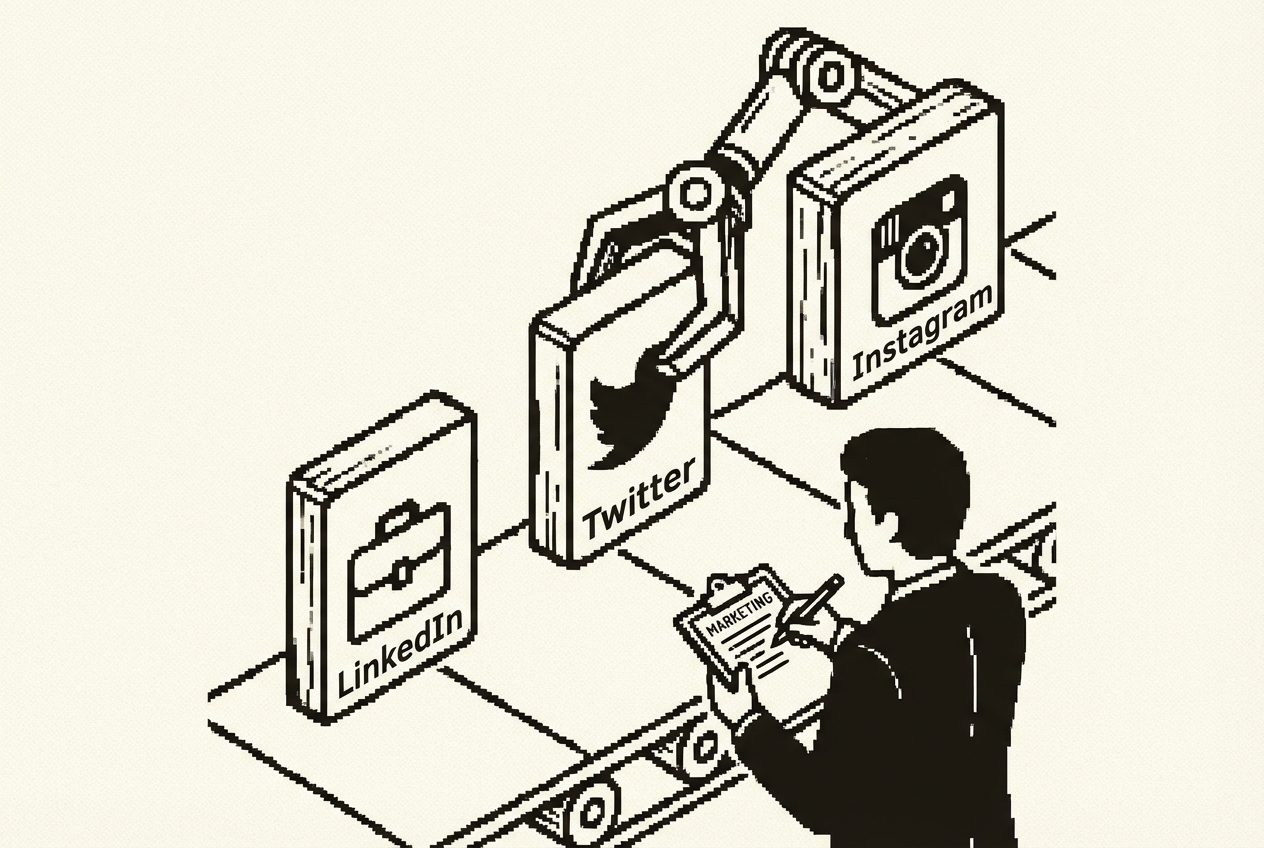
She was paying $1,200 a year for a tool she used at maybe 40% capacity. The scheduling was worth keeping. The content generation wasn't.
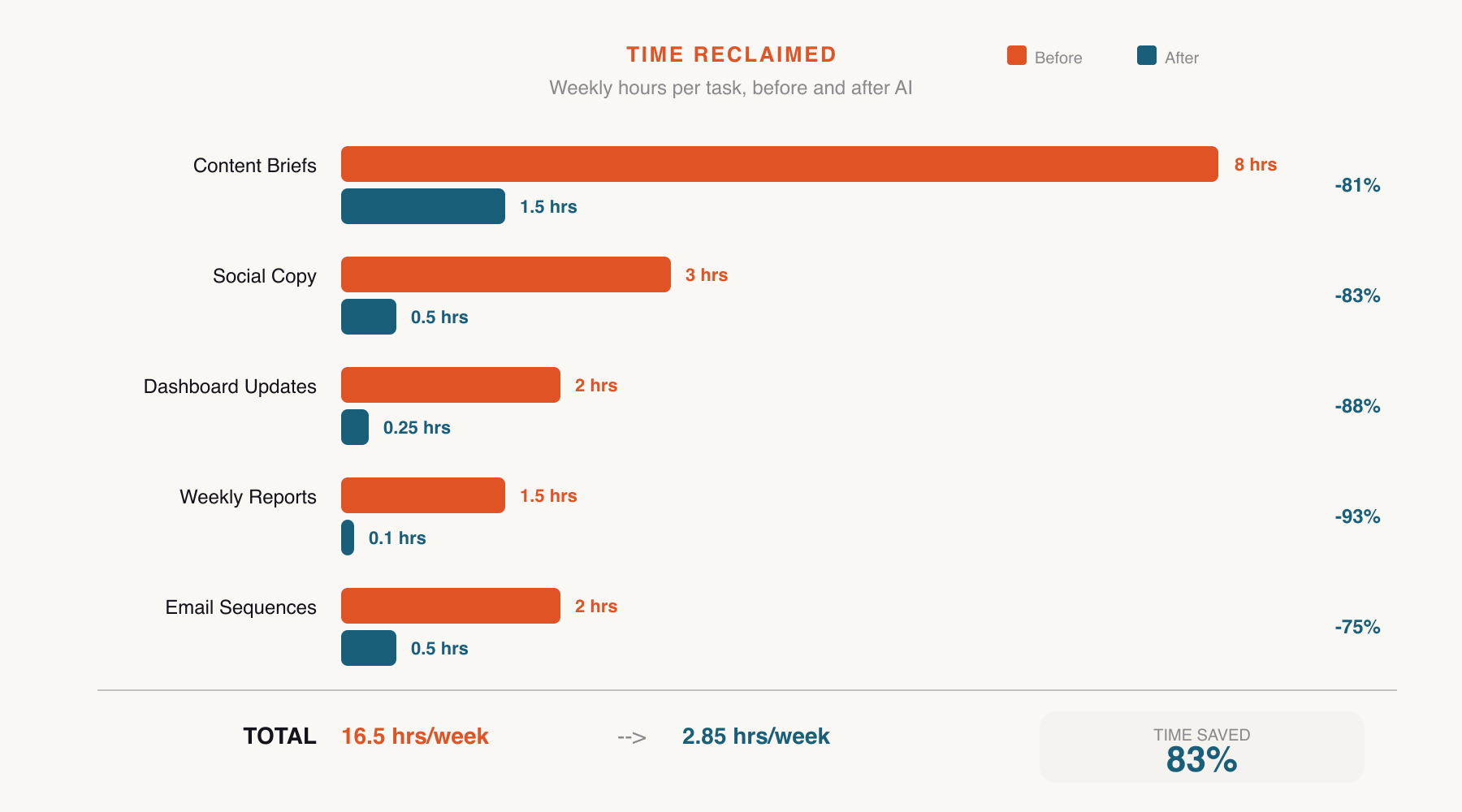
Maya's team posted three to four times per week on each platform. That's ten to twelve pieces of social copy per week. At fifteen minutes per post for original writing, that's roughly three hours per week, or twelve hours per month, spent on social media copy alone.
Create a folder structure with subfolders for each platform. Drop in your brand voice guidelines and a few examples of high-performing posts:
What comes back is nine pieces of copy, three per platform, each calibrated to the tone you've established through your examples. You're editing, not drafting. Maya typically spends two to three minutes reviewing, compared to fifteen minutes per post when writing from scratch.
The quality difference is measurable. Maya tracked engagement rates for three months after switching. LinkedIn engagement increased 23%. Twitter reply rate doubled. The AI-generated posts maintain a consistent baseline regardless of when they're produced.
Content creation features in Hootsuite, Buffer, or Sprout Social
Downgrade to basic scheduling plan (~$300/yr savings on tool plus elimination of supplementary content tools)
Maya checked three different analytics sources every morning. Google Analytics for website traffic. The social scheduling tool for engagement metrics. Mailchimp for email open rates. Each one had its own dashboard, its own login, and its own way of presenting data that made cross-channel comparison nearly impossible without a spreadsheet.
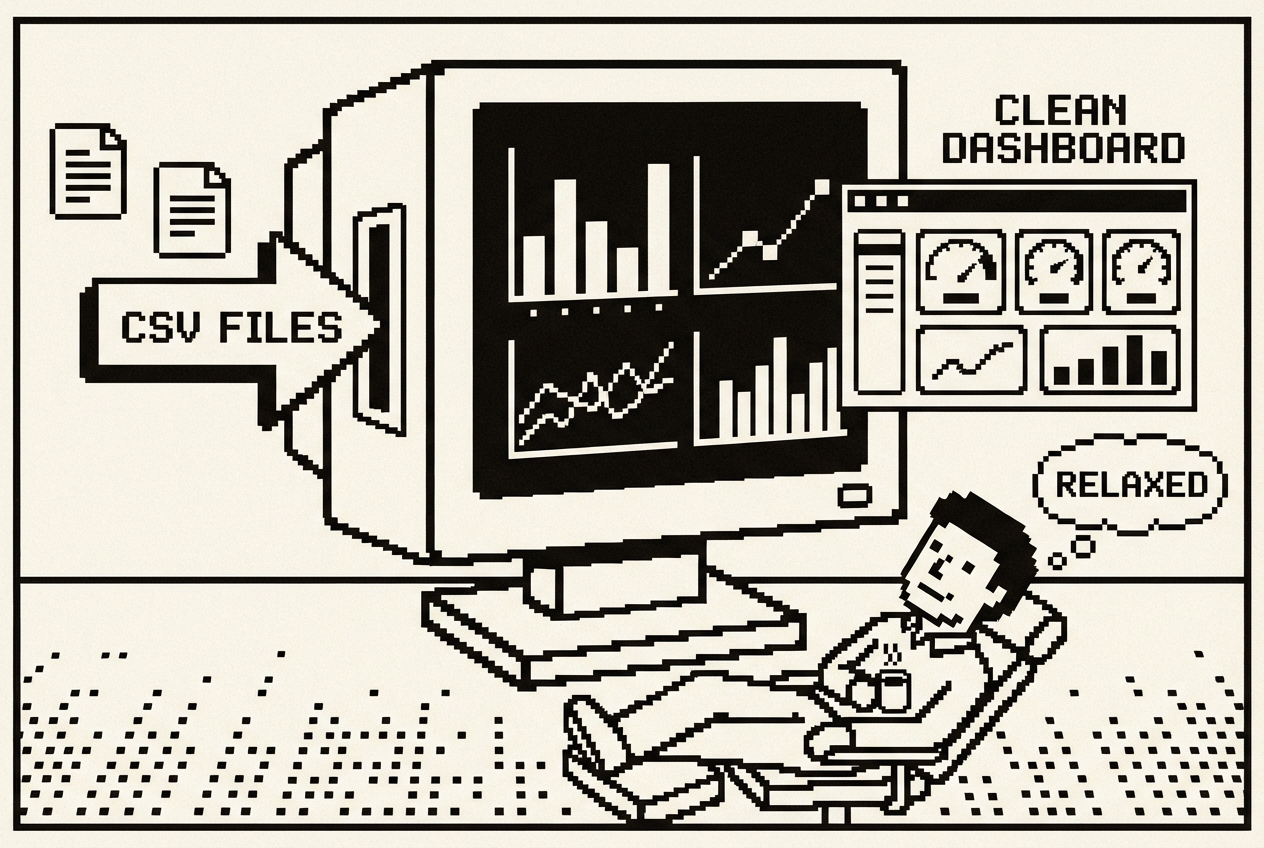
The alternative was a dashboard tool. Databox, Klipfolio, or one of the dozens of platforms that promise to unify your marketing data. They cost between $200 and $400 per month, require setup and integration maintenance, and break every time one of your source tools updates their API.
At $300 per month, $3,600 a year, she was paying for a tool that worked about 80% of the time. The remaining 20% was spent troubleshooting integration failures and manually filling gaps.
You're going to use OpenAI Codex App, a desktop command center for parallel AI agents, to build a custom dashboard that reads your data exports and presents exactly the metrics you care about.
Here's the key insight: you don't need live API integrations. You need a dashboard that reads the CSV files you're already exporting.
Codex dispatches parallel agents, one handling the data processing logic, another building the UI. Within minutes you have a working application. No API keys. No connector maintenance. No sync failures at 7 AM on the morning of your weekly meeting.
Databox, Klipfolio, custom Looker Studio alternatives
Full cancellation of dashboard tool ($300/mo)
Email sequences are the backbone of B2B marketing. A prospect downloads a whitepaper, they enter a nurture sequence. Someone signs up for a webinar, they get a pre-event series. A trial expires, they get a re-engagement flow. Each sequence needs subject lines, body copy, send timing, and a clear progression from awareness to action.

The template problem is specific and pervasive. Most email platforms offer template libraries with 50-100 options. They look great in the preview. Then you drop in your actual content and the template breaks. The image placeholder is the wrong aspect ratio. The header font doesn't match your brand. You spend twenty minutes adjusting a "pre-built" template to look acceptable.
The AI subject line generators built into these platforms are the feature Maya found most disappointing. They generate subject lines that are technically competent and strategically useless. "Unlock Your Supply Chain Potential" is the kind of output you get, the kind of subject lines that every B2B company sends.
Maya ran a five-email nurture sequence for the Q2 product launch. Writing the sequence took two and a half days. Not because the emails were long, each was 150-250 words, but because each email needed to build on the previous one, the subject lines needed to tell a coherent story, and the CTAs needed to escalate from soft to firm without feeling pushy.
At roughly $1,800/yr for the template and content creation tier, you're paying for a feature set that generates generic copy without any understanding of your brand, your audience segments, or what's actually worked in your past campaigns.
Google AI Studio is a free browser-based platform that builds apps from descriptions. You're going to use its Build mode to create an email sequence planner tailored to how your team actually works.
AI Studio builds this as a working React application in your browser. Select "Product Launch" from the campaign goal dropdown, type your audience segment, set the sequence length to five, and click Generate. What comes back is a complete five-email sequence with personalized hooks, progressive CTAs, and send timing with reasoning.
The send timing suggestions come with reasoning, which turns the tool from a generator into a lightweight trainer for team members learning email marketing. "Email 2 is scheduled for 3 days after Email 1 because product launch sequences need momentum."
Maya's practical workflow: describe the tool (10 minutes), test it with real campaign data (5 minutes), start generating sequences. The entire process takes about 90 minutes for a five-email sequence, compared to two and a half days when writing from scratch.
One tip Maya discovered: save your generated sequences as reference documents. When you generate a new sequence, paste a previous high-performing sequence into the key messaging section and ask the tool to follow a similar structure. The output maintains the strategic patterns that worked before.
Email template builder features in Mailchimp or ActiveCampaign ($150/mo tier)
Downgrade to basic sending plan, keep sending infrastructure and automation rules
Brand consistency is one of those things every marketing team talks about and very few actually enforce. You have a brand guidelines document. It specifies tone, vocabulary, formatting rules, phrases to avoid, and the general personality your communications should convey. It lives in a shared drive somewhere. The content writer read it once during their first week. The product team has never opened it.

Maya experienced this acutely when the product marketing manager published a case study that used the word "leverage" eleven times in 800 words. Maya's brand guidelines explicitly banned "leverage," along with "synergy," "paradigm," "disrupt," and a dozen other corporate buzzwords. The product marketing manager hadn't read the guidelines. The case study went live and was the first piece of content a major prospect read.
The prospect's feedback during the sales call: "Your case study felt very corporate for a company that markets itself as straightforward."
The enterprise solution is a brand consistency platform. Writer.com runs about $120-160/mo for a small team. Grammarly Business comes in at around $60-100/mo for a team of four. These tools analyze your writing against brand guidelines and flag inconsistencies. They work. But at $2,400/yr for a tool that essentially compares text against a set of rules, you're paying a premium for something that doesn't require an always-on platform.
Claude Artifacts are interactive tools built inside a conversation. Available on all Claude plans, including the free tier. No installation required.
Claude builds this as an interactive Artifact you can use immediately. Paste in a draft blog post. The tool scores it, flags the sentence where your writer used "leverage" instead of plain English, catches the exclamation marks that crept in, and suggests revisions.
The scoring system creates an unexpected benefit: accountability without confrontation. When the product marketing manager sees his case study score 54 out of 100, the tool delivers the feedback, not Maya. There's no interpersonal tension. The guidelines are right there in the sidebar.
The Artifact is shareable via link. Send it to anyone who produces copy. Within a month of sharing, the average brand alignment score of first drafts improved from 62 to 78. Review cycles shortened because obvious violations were caught before Maya ever saw the copy.
Writer.com (~$150/mo), Grammarly Business brand voice features, or similar
Full cancellation of brand consistency platform
Knowing what your competitors are doing shouldn't cost $5,000 a year, but it often does. Platforms like Crayon and Klue promise to track competitor websites, pricing changes, product announcements, and marketing campaigns automatically. They aggregate data from dozens of sources and present it in dashboards with alerts and comparison reports.

The value is real. Competitive intelligence matters. But the implementation is overkill for most mid-size marketing teams. Maya's company tracked four direct competitors and two adjacent players. She needed to know when they changed pricing, launched a new feature, or shifted their messaging. She didn't need a $5,000/yr platform for six companies.
The automated web scraping generates noise: every minor CSS change on a competitor's website triggers an alert, burying meaningful signals in a flood of irrelevant notifications. Maya's colleague at another company described their Crayon experience as "drinking from a fire hose of competitor website diffs." The tool detected that a competitor changed their footer copyright year and flagged it as a "website change." Technically accurate, practically useless.
The intelligence that actually matters, a competitor raising their prices by 15%, launching a directly competitive feature, or hiring a VP of Marketing from your top customer, requires human judgment to identify and contextualize.
This one combines OpenAI Codex App with Railway deployment. Codex builds the application. Railway makes it accessible to your team.
The data entry form is deliberately simple. Select the competitor from a dropdown, pick the update type, write a one-to-three sentence description, paste the source URL, click submit. If adding intel takes more than 30 seconds, people won't do it. If it takes 15 seconds, it becomes habitual.
The comparison dashboard is where the value crystallizes. Select two competitors and see their activities side by side over the past six months. Competitor A published eight case studies while Competitor B published two. The patterns tell a story that scattered Slack messages never could.
Maya's tracker accumulated 47 entries in the first quarter. The monthly report for March revealed that two competitors had published case studies about the same industry vertical within two weeks. That pattern, invisible in scattered Slack messages, signaled both competitors were targeting healthcare as a growth segment. Maya shared this insight with the product team, who accelerated a healthcare-specific feature three months ahead of schedule.
Crayon ($400+/mo), Klue, or similar enterprise competitive intelligence platforms
Full cancellation, minus ~$5/mo Railway hosting = $4,940/yr net
Every marketing campaign needs a landing page. Product launch, webinar registration, whitepaper download, free trial signup. Each one needs a headline, supporting copy, a form, social proof, and a design that matches your brand while still feeling fresh.

If you're using Unbounce, Instapage, or Leadpages, you're paying somewhere between $50 and $250 per month for the ability to build and test these pages without involving a developer. The drag-and-drop editors are genuinely useful. But the core function, creating a landing page with a form, is not a $200/mo problem.
The template trap is real. You start with a template that looks professional. You swap in your headline and the layout shifts. You replace the hero image and the color balance changes. An hour later, you have a page that works but looks like a template, because it is one.
Maya built six landing pages per quarter. Each page took two to four hours in Unbounce, including template selection, content placement, and the inevitable "this doesn't look right on iPad" debugging. For simple pages, four hours of production time is excessive.
Google AI Studio's Build mode creates functional web pages from plain-language descriptions. Its Annotation mode lets you point at specific elements and adjust them visually.
AI Studio generates a complete, functional landing page. Not a wireframe. A working page with responsive design, functional form fields, and proper visual hierarchy. Use Annotation mode to make visual adjustments: "Make the CTA button larger." "Add a light grey background to the speaker section." These adjustments happen in seconds.
Maya's workflow: describe the page (10 minutes), refine with Annotation mode (10 minutes), export and push to Railway (5 minutes), connect the form via webhook (10 minutes). Total: 35 minutes. Compare to two-four hours in Unbounce.
The speed encouraged experimentation. When building a page took four hours, Maya created one version and hoped for the best. When it took 35 minutes, she started creating two or three variations and testing them from launch day. The data-driven headline outperformed the curiosity headline by 40% in registration rate. Strategic knowledge she never would have gathered if each page still took half a day.
Unbounce ($100-250/mo depending on tier), Instapage, or Leadpages
Full cancellation, minus ~$5/mo Railway hosting = $2,340/yr net
Marketing budgets look simple on paper. You have a total number and you divide it across channels: paid search, paid social, content, events, tools. In practice, the allocation shifts monthly based on performance, campaign timelines, and the VP of Sales asking why more money isn't going to events.
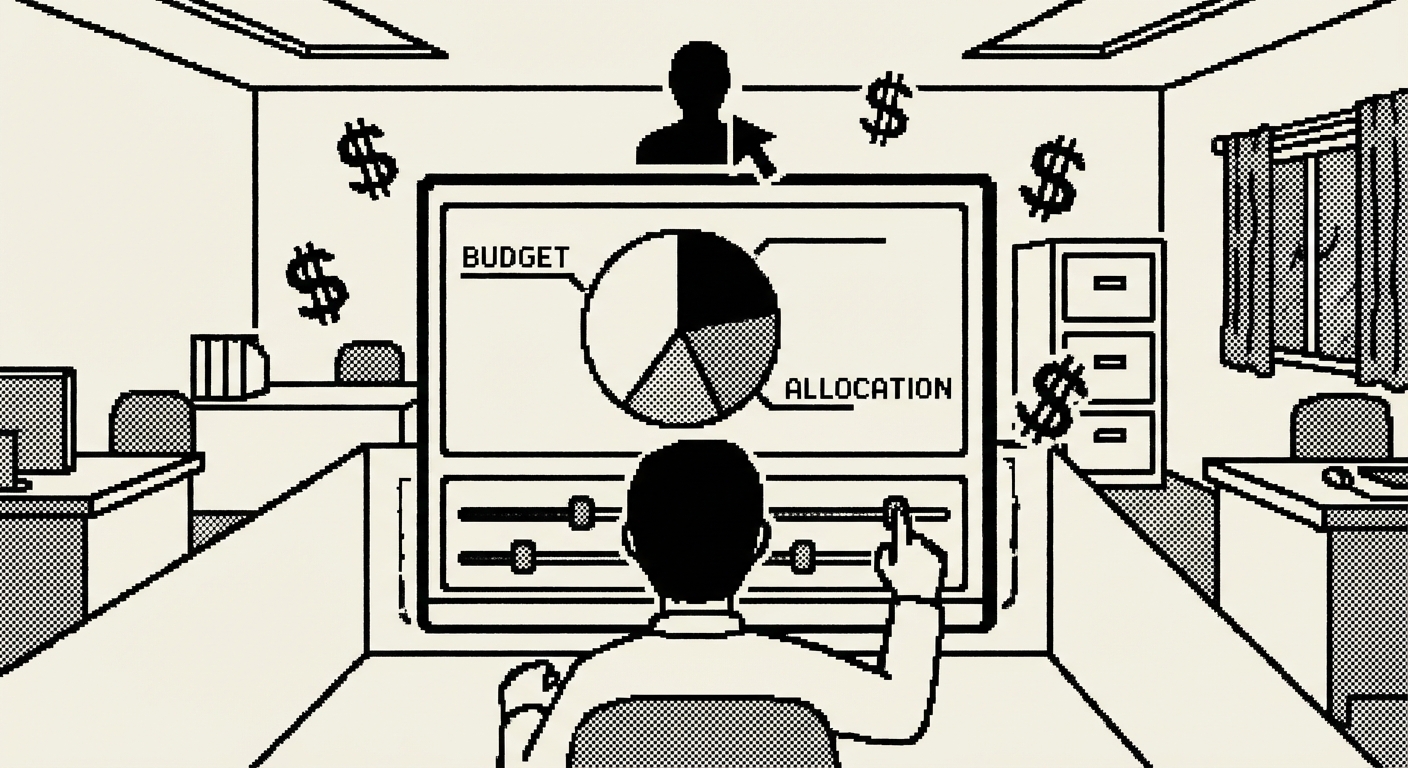
Tracking this in a spreadsheet works until it doesn't. The formulas break when someone inserts a row. The charts stop updating when the date ranges shift. And nobody trusts the numbers because three different people have made edits without telling each other.
Maya's budget spreadsheet had a specific failure mode. It was a Google Sheet shared between Maya, the VP of Sales, and the CFO. Each person had different expectations for what the spreadsheet should show. Three perspectives, one spreadsheet, and no version that satisfied all three. Maya maintained a hidden "sanity check" tab, which was evidence the tool was wrong for the job.
The scenario modeling problem was the most painful. Every quarter, someone asked "what if we shift 15% from paid search to events?" In a spreadsheet, answering this meant manually changing twelve cells, watching totals update, checking sums, then undoing everything because it was just a "what if."
Maya tried Allocadia's trial. The onboarding took two weeks. The VP of Sales logged in once, during training. After that, every budget question came the same way it always had: a Slack message to Maya. The tool existed. The behavior didn't change.
This is a perfect use case for Claude Artifacts. You need an interactive calculator, not a platform.
The slider interaction is the detail that makes this genuinely better than a spreadsheet. Drag the Paid Search slider from 30% to 20%, and the dollar amount updates instantly, the monthly breakdown adjusts proportionally, and the ROI projection recalculates. The percentage constraint means you can't accidentally allocate 115% of the budget.
The ROI projection section is what makes budget conversations productive instead of political. When the VP of Sales asks "why aren't we spending more on events," Maya opens the calculator, shows the current allocation, and enters the proposed change. The projected ROI column updates immediately. The numbers make the argument, not the personalities.
Share the link with your marketing team and your finance stakeholder. When the VP asks "what happens if we shift 10%," you move a slider and everyone sees the impact. No spreadsheet archaeology. No "I'll run the numbers and get back to you."
Budget management tools ($50-150/mo), or premium tiers of project management tools used for budget tracking
Full cancellation of budget tracking tool
A/B testing is only as good as the variations you test. Most marketing teams know they should test different headlines, different CTAs, different email subject lines. Fewer actually do it consistently, because creating quality variations takes time.

Most A/B tests fail not because the concept is flawed but because the variations aren't different enough. Testing "Download Our Whitepaper" against "Get Your Free Whitepaper" teaches you nothing. A meaningful test would pit a direct headline against a curiosity-driven headline against a data-led headline. Each approach is strategically different. The test reveals which approach resonates, not which synonym the audience prefers.
Creating meaningfully different variations is the bottleneck. It requires creative range, the ability to look at the same message from five different angles. Most content writers are strong in one or two modes. The result is A/B tests that technically have two variants but functionally test nothing.
So teams buy content generation tools. Copy.ai, Jasper, or Anyword. These come with monthly subscriptions ($50 to $250/mo depending on the tier), and the output tends toward generic because the tool doesn't understand your specific brand, audience, or what's performed well in the past. Maya tried Jasper for four months. The output was fluent and professional. It was also indistinguishable from every other team using Jasper.
The deeper problem: standalone content generators don't learn from your results. Every generation starts from scratch. The learning happens in your head, not in the tool.
Cowork generates A/B test variations with something standalone content generators lack: access to your files. It can read your past performance data, your brand voice doc, and your campaign brief, then produce variations informed by what's actually worked.
Set up your testing folder. Include a document summarizing your top-performing headlines and subject lines from the past year, with notes on why they worked:
This document is the context that Jasper and Copy.ai don't have. It's your audience's preferences, encoded in performance data.
What you get back isn't random variations. It's variations mapped to proven approaches. Each headline comes with a note: "This variation uses the specific-dollar-amount approach that drove 8.3% CTR on the Q3 whitepaper headline." That reasoning transforms the review meeting from "which headline do we like?" (subjective) to "which approach do we want to test?" (strategic).
The system compounds. Every test makes the performance data richer, which makes future variations more informed. Over six months, Maya built a top-performers document with 30+ entries, a strategic asset that let new team members immediately understand what works.
Copy.ai, Jasper content generation features, or Anyword
Full cancellation of standalone content generation tool
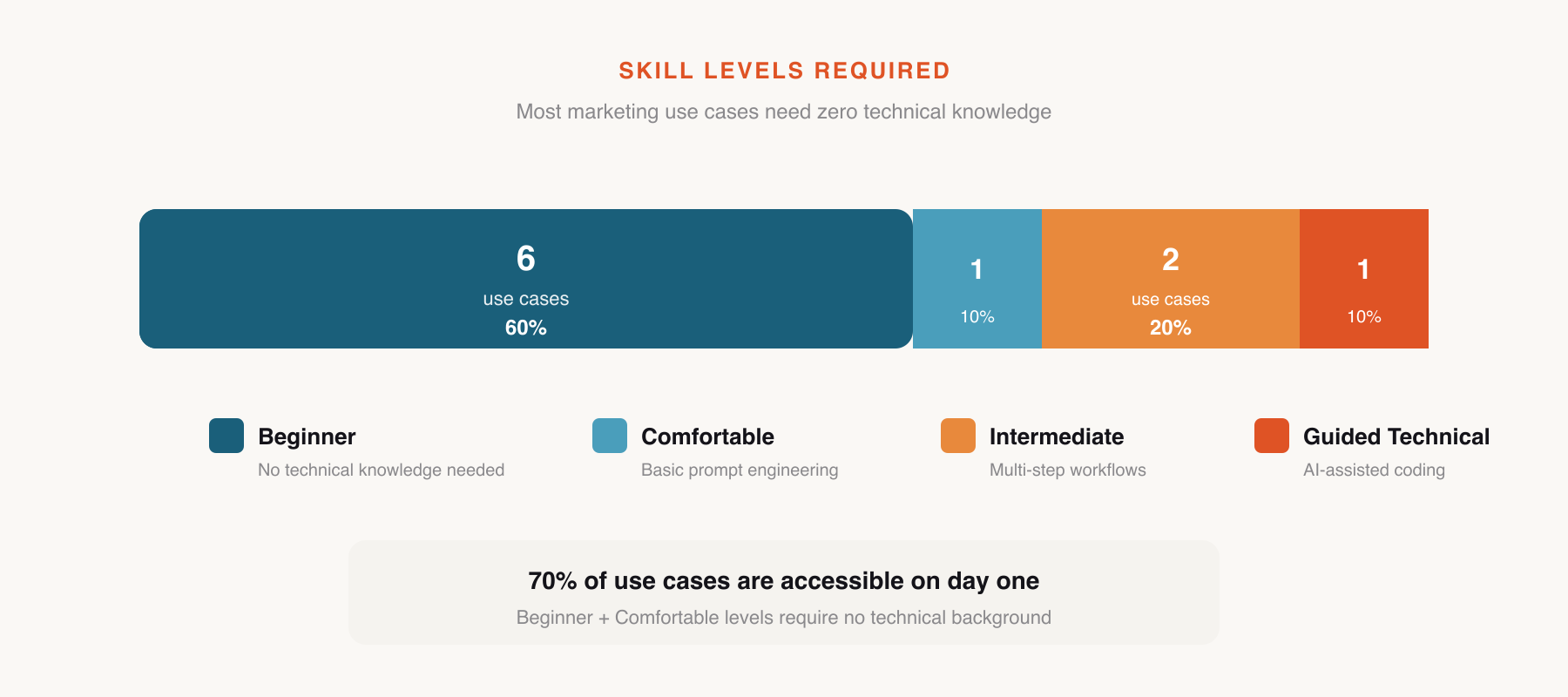
Every marketing team produces a weekly report. It summarizes what happened, what's performing, what needs attention, and what's coming next. The process is the same everywhere: someone spends an hour or two gathering numbers from multiple sources, arranging them in a readable format, adding commentary, and sending it to stakeholders.
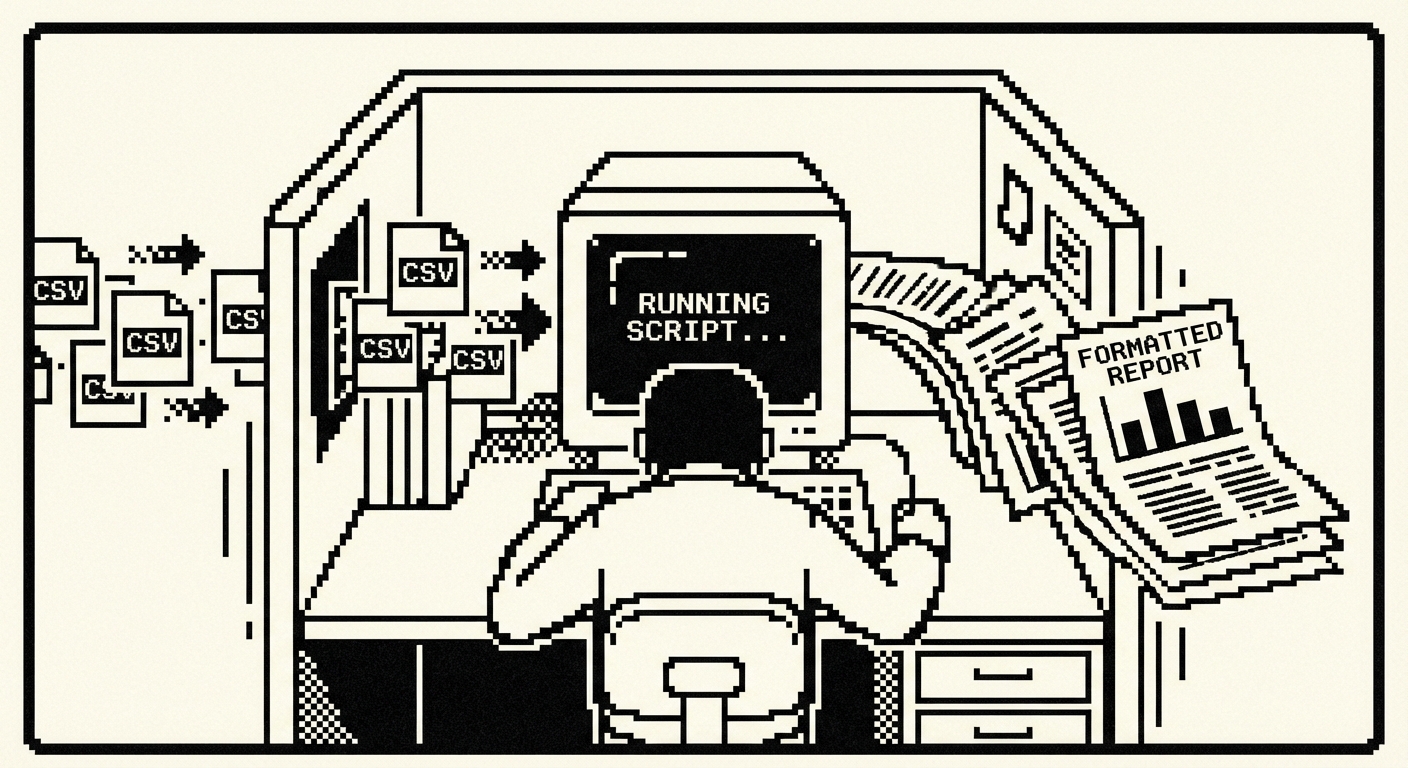
The commentary, the "likely driven by" analysis, is where the real value of the weekly report lives. Stakeholders don't read the report for the numbers. They can get those from dashboards. They read it for the interpretation. The irony is that by the time the report writer has spent 45 minutes assembling numbers and formatting tables, they're mentally exhausted and rush through the commentary, the only part the reader actually cares about.
Maya's Monday routine: export CSVs from three platforms (15 minutes), duplicate last week's report (2 minutes), update all the numbers (20 minutes), update the charts (10 minutes), then with 45 minutes gone and the meeting in 30 minutes, write the commentary in a rush (15 minutes). The VP of Sales once commented that the reports were "very thorough on data, a bit thin on insights." He was right, and the reason was structural.
Reporting automation tools exist. Supermetrics pulls data from marketing platforms. They cost $100 to $300 per month. They solve the data aggregation part while still requiring manual commentary and analysis. You're paying $200/month to automate the 30 minutes of mechanical work while still spending 30 minutes on the analytical work that actually matters.
This is the most technical use case in the marketing chapter, and it's the one that pays off every single week. Claude Code is a terminal-based AI coding agent. You give it instructions, it writes and runs code.
The commentary is the part that surprises most people. The script doesn't just say "email open rates up 12%." It says "email open rates increased 12% week over week, likely driven by the subject line test in the Q2 nurture sequence. The winning variant outperformed the control by 8 percentage points, consistent with the audience's preference for specificity over generic benefit statements."
Every Monday, drop your fresh CSV exports into the data folder and run the script. A complete, formatted report appears in the output folder. The script also moves current data to the archive, so next week's comparison is automatically preserved.
After six months of weekly reports, Maya had 26 weeks of comparative data. She asked Claude Code to add a quarterly trend analysis function, and the quarterly report, generated in seconds from data that already existed in the archive, replaced a separate process that used to take a full day.
Maya found that the quality of stakeholder discussions improved. When the VP of Sales started receiving reports with genuine analysis, the Monday meetings shifted from "what do these numbers mean" to "what should we do about it." The reports were driving action instead of documenting activity.
Supermetrics (~$177/mo Growth plan), DashThis, or AgencyAnalytics
Full cancellation of reporting automation tool
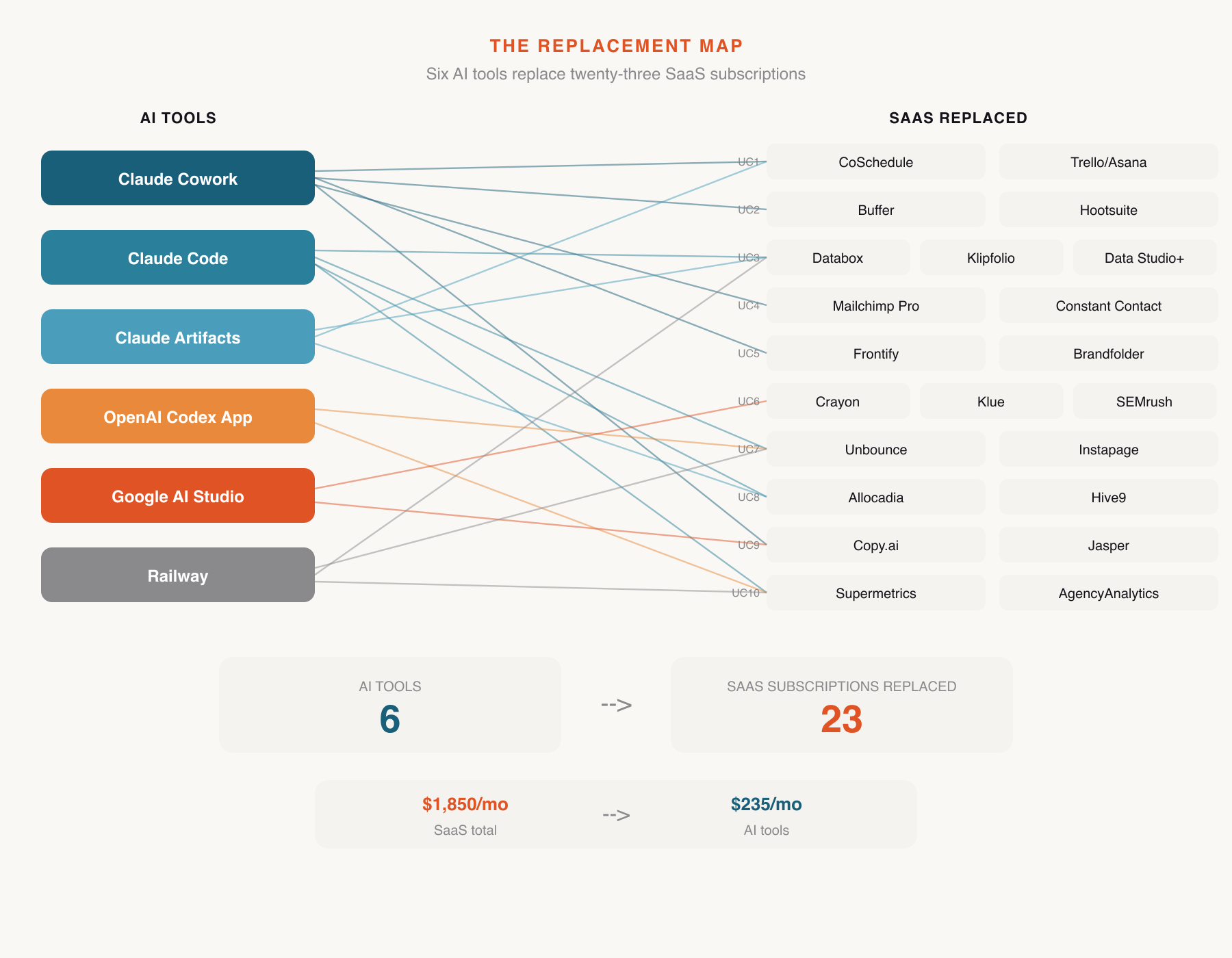
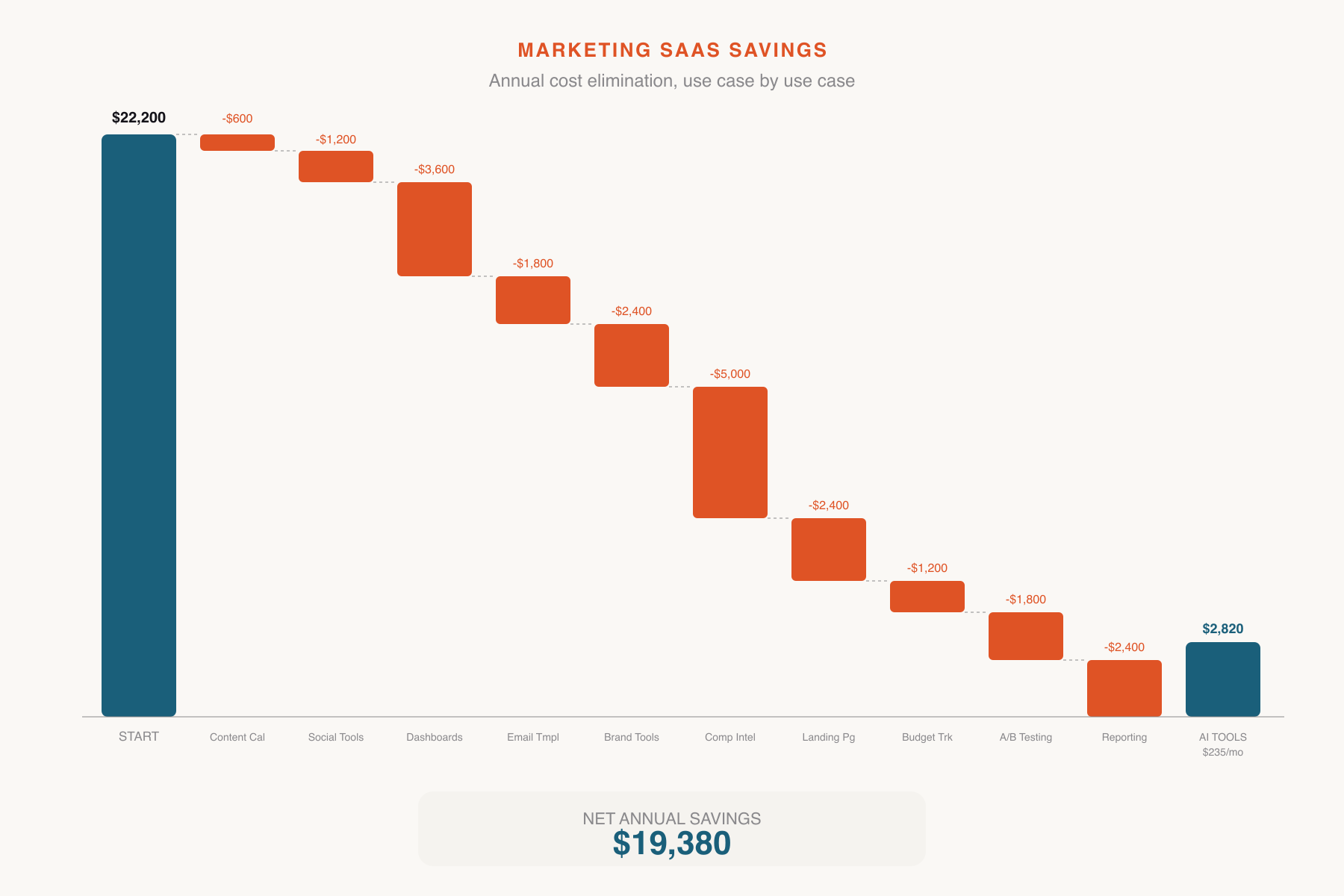
Every number below matches the individual use case breakdowns above. Maya's marketing stack went from eleven tools to the ones that actually needed to exist.
| Use Case | Tool Replaced | Action | Savings |
|---|---|---|---|
| 1. Content Brief Factory | Monday.com content module | Cancelled | $600 |
| 2. Social Media Copy Engine | Hootsuite/Buffer content tier | Downgraded | $1,200 |
| 3. Performance Dashboard | Databox | Cancelled | $3,600 |
| 4. Email Sequence Builder | Mailchimp template tier | Downgraded | $1,800 |
| 5. Brand Voice Checker | Writer.com | Cancelled | $2,400 |
| 6. Competitive Intel Tracker | Crayon | Cancelled | $5,000 |
| 7. Landing Page Prototyper | Unbounce | Cancelled | $2,400 |
| 8. Budget Calculator | Budget management tool | Cancelled | $1,200 |
| 9. A/B Test Copy Generator | Copy.ai / Jasper | Cancelled | $1,800 |
| 10. Weekly Report Automator | Supermetrics | Cancelled | $2,400 |
| Gross Marketing SaaS Savings | $22,400/yr | ||
The AI tools used in this chapter are shared across departments. Marketing's proportional share:
| Tool | Monthly Cost | Marketing Share | Annual |
|---|---|---|---|
| Claude Max (Cowork + Code + Artifacts) | $200/mo | 1/6 of company usage | $400 |
| ChatGPT Plus (Codex App) | $20/mo | 1/6 of company usage | $40 |
| Google AI Studio | Free | $0 | $0 |
| Railway (hosting) | ~$15/mo | ~$10/mo marketing apps | $120 |
| Marketing's Share of Tool Costs | $560/yr | ||
These tools are not replaced by anything in this chapter:
Email sending infrastructure (Mailchimp/ActiveCampaign basic tier): You still need a platform to send emails and manage lists. The template and content creation features go, not the sending engine.
Social media scheduler (basic tier): You still need to schedule and publish posts. The content creation tier goes, not the scheduling.
CRM integration tools: If your marketing automation connects to Salesforce or HubSpot, that integration stays. These use cases replace point solutions, not networked infrastructure.
Google Analytics: Free. Not going anywhere.
Ad platforms (Google Ads, Meta Ads Manager): The advertising spend and platforms themselves are a separate budget category.
The dashboard (Use Case 3) and weekly report (Use Case 10) require a manual export step. You're trading "automatic but fragile" for "manual but reliable." For most marketing teams doing weekly reporting, five minutes of CSV exports is a non-issue. For teams needing real-time data, keep Google Analytics for live monitoring and use the custom dashboard for weekly cross-channel analysis.
The dashboard, competitive intel tracker, and landing pages require occasional maintenance. Railway handles infrastructure, but feature changes mean opening Codex or Claude Code. This is faster than submitting a feature request to a SaaS company, but it does require a different mindset. You're the product owner of your own tools now.
Six of ten use cases are Beginner level. The Intermediate and Guided Technical use cases (dashboard, competitive tracker, weekly report) require comfort with GitHub and terminal commands. If nobody on the marketing team has that, those three may need help from IT or engineering for initial setup. Daily use afterward is straightforward.
Prices cited reflect typical mid-market team configurations as of early 2026. Your actual costs may vary based on team size, contact volumes, and billing cycle. Check current pricing before making cancellation decisions.
$21,840 is not an abstraction. For a 60-person company, that's a meaningful line item. Maya's CFO noticed it in the Q2 budget review, not because Maya announced it, but because the subscription audit spreadsheet had 10 fewer entries and the marketing software line was 40% lower.
The recovered budget didn't disappear into a general fund. Maya made a case for reallocating it. Half went to increased paid advertising spend, directly into demand generation. The other half funded a freelance copywriter for three months during the product launch, additional human capacity that the AI tools couldn't replace but the budget savings made possible.
There's an irony worth naming. The SaaS tools Maya cancelled were all marketed as productivity enhancers. They promised to save time, reduce manual work, and let her small team do more with less. They delivered partially, but they also consumed budget that could have been spent on the one resource that actually scales a small marketing team: more people, even if only temporarily. By replacing the tools, Maya didn't just save money. She freed budget for the thing the tools were supposed to make unnecessary but never did.
And this is just one department.