
Alex's monthly ritual: one credit card, ten subscriptions, zero department budgets
Ten subscriptions you can cancel, replace, or stop renewing. Every dollar saved goes back into your pocket.
Alex checks the credit card statement on the first of every month. Not the company card. There is no company card. This is the personal Visa, the one that also covers groceries, the kids' soccer cleats, and the car insurance. Somewhere between the electric bill and a forgotten Amazon order sits a constellation of software subscriptions: Toggl at $13/month, FreshBooks at $22/month, Better Proposals at $29/month, Notion at $10/month. A monitoring service here, a portfolio builder there. Each one seemed reasonable when Alex signed up. Each one solves exactly one problem.
The math, though. Alex ran it last quarter during a slow week between projects. Eight regular clients, a healthy pipeline, and a reputation built over six years of independent IT consulting. Revenue looks good on paper. But $10,200 a year in SaaS subscriptions for a one-person operation is not a rounding error. That is a family vacation. That is three months of the kid's college fund contribution. That is a new laptop and a conference registration with money left over.
Here is the thing about freelancing that salary workers never quite internalize: every dollar of overhead comes directly from your take-home pay. There is no department budget absorbing the hit. There is no annual software procurement cycle where IT vets the purchase and finance writes the check. No one runs a cost-benefit analysis on your behalf. When Alex subscribes to a $99/month client portal tool, that is $99 less in the checking account every single month, twelve times a year, until Alex remembers to cancel it. And remembering to cancel things is not something freelancers are historically great at, because freelancers are too busy doing the actual work.
This chapter is different from the ones that came before. Marketing managers, sales directors, HR leads, IT teams, office managers, they all fight for budget and justify purchases to someone above them. The money comes from a pool. The approvals go through a process. The pain of overspending is distributed across a department, a division, a company. Alex answers to exactly one person: the mirror. The savings here are not corporate abstractions that improve a P&L statement three layers removed from anyone's daily life. These savings are groceries, rent, retirement contributions, and the breathing room that makes freelancing sustainable instead of stressful.
There is a peculiar loneliness to the freelancer's SaaS problem. In a company, someone is at least theoretically responsible for auditing software spend. They have titles like "IT Procurement Manager" or "VP of Operations." They send emails about license consolidation. They negotiate enterprise discounts. Alex has none of that. Alex has a credit card, an inbox full of renewal notices, and the vague sense that the stack grew when no one was watching.
It grew because every problem has a tool, and every tool has a free trial, and every free trial becomes a paid subscription after fourteen days of being too busy to evaluate whether the tool is actually worth it. The result, after six years, is a stack of overlapping subscriptions that collectively costs more per month than Alex's car payment.
Here is what Alex discovered: the same six AI tools that replace enterprise SaaS stacks work even better for solo operators. Not because the tools are different, but because the problems are simpler. One person, one business, no committees, no approval processes, no change management boards. You decide on Monday, build on Tuesday, and cancel the old subscription on Wednesday. Nobody needs to be consulted. Nobody needs to sign off. The decision cycle that takes a corporation six months takes a freelancer six minutes.
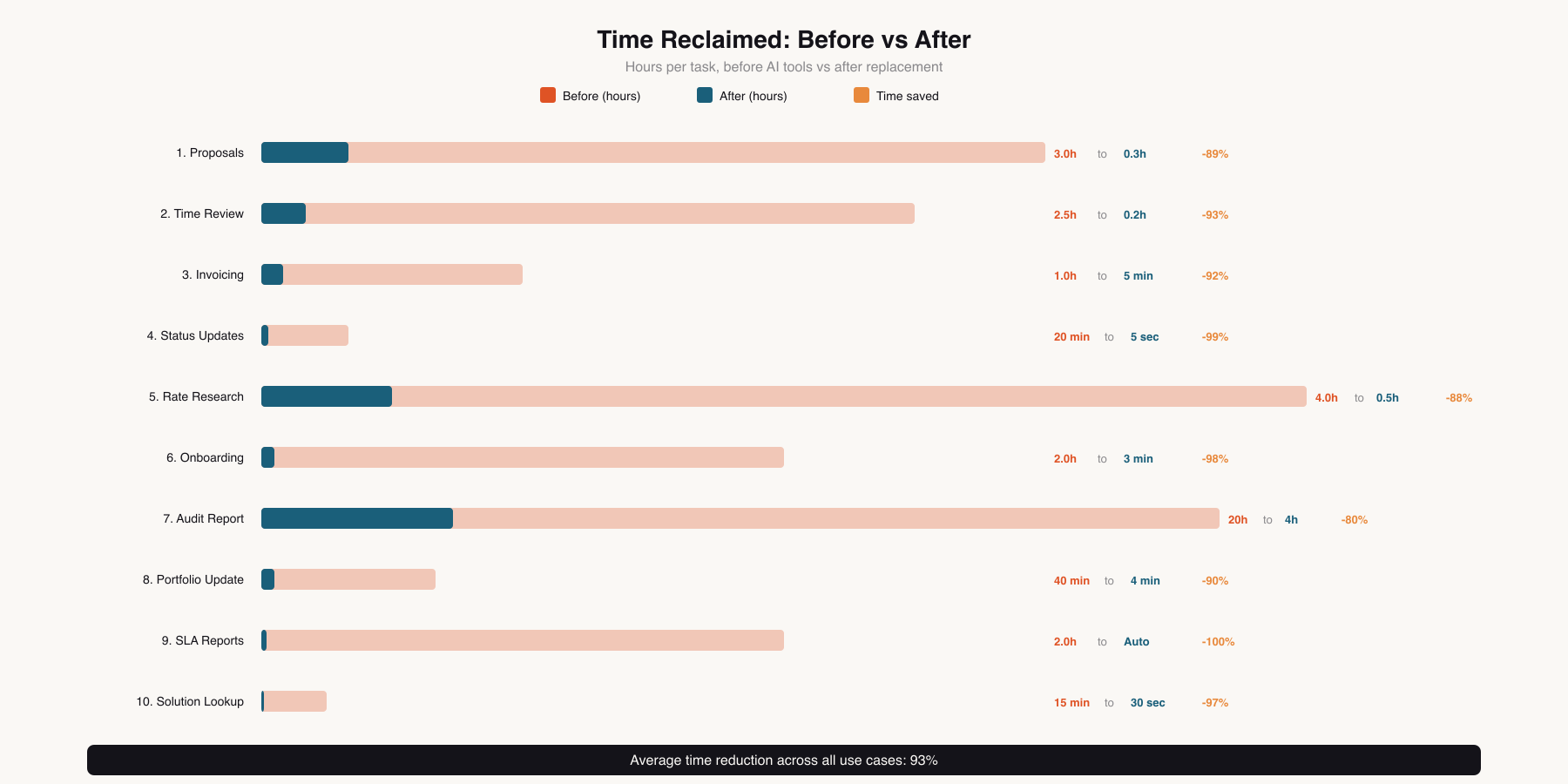
Writing proposals is the unpaid labor of freelancing. Nobody bills for it. Nobody enjoys it. And yet every new project starts here, with Alex spending two to four hours crafting a document that might not even win the work.
The current setup: Better Proposals at $29/month, a tool Alex chose three years ago because it offers nice templates and open-tracking. It tells you when the client opened the proposal, how long they spent on the pricing page, whether they forwarded it to someone else. These are genuinely useful features. But Alex uses maybe 30% of what the tool offers. The e-signature capability goes unused because clients prefer their own contract process. The CRM integration is disconnected because Alex does not use the CRM it integrates with. The template library, which was the original selling point, has been replaced by Alex's own templates that were built from scratch inside the tool, meaning the templates could live anywhere.
And $348 a year for a document you could, in theory, write in Google Docs? That number nags at Alex every time the renewal email arrives.

The real problem is not the tool. It is the time. Each proposal requires pulling together the project scope from discovery notes, mapping that to a timeline, pricing each phase based on the rate card, and wrapping it all in language professional enough to justify the rates. Alex has a folder of past proposals and copies sections between them, but every client's situation is different enough that copy-paste only gets you about halfway there. The other half is original writing, which means sitting down, context-switching from technical work to sales writing, and producing something coherent while knowing that this time is essentially unbillable.
The economics of proposal writing are quietly brutal. Alex wins roughly 60% of proposals. That means 40% of proposal time produces zero revenue. Over a year with 15-20 proposals, that is 24-32 hours of skilled labor that generates nothing. At Alex's hourly rate, the "cost" of lost proposal time exceeds $2,500 annually, and that does not even include the $348 for the tool.
Freelancers cope with this in different ways. Some use boilerplate so heavily that every proposal reads the same (clients notice, and it signals that you are not taking their specific situation seriously). Some outsource to proposal-writing services, which are expensive and produce generic output that does not reflect your technical depth or communication style. Some keep proposals deliberately short, which saves time but looks unprofessional next to competitors who send polished 10-page documents with custom diagrams and detailed timelines.
Cowork is an autonomous agent that works with your files. You point it at a folder, give it instructions, and it produces structured output. For proposals, this is almost unfairly well-suited, because proposals are exactly the kind of document that benefits from reading multiple source files and synthesizing them into a coherent whole.
Start by organizing what Cowork needs:
The rate-card.md lists your service tiers, hourly and project rates, and any standard packages you offer. Be specific here. Include your day rate, your weekly rate, any volume discounts for ongoing retainers, and the different rates for different service types (consulting at one rate, hands-on implementation at another, emergency response at a premium). The more detail you provide, the more accurately Cowork can price proposals.
The past-proposals/ folder is your training set. Include your three to five best recent proposals, the ones that won work and accurately represented the project scope. These teach Cowork your voice, your level of detail, and your pricing patterns.
Cowork reads everything. It cross-references your rates with the scope described in the brief. It looks at past proposals for similar project types to calibrate the level of detail. It generates a full proposal draft: structured, specific to the client, and using your established language and pricing patterns.
You review it. This is the critical step that takes proposal writing from three hours to twenty minutes. The generated draft is 85-90% complete. You adjust details, maybe tweak the timeline based on something you know about your availability that the brief did not capture. You refine the Executive Summary because you want a specific hook for this particular client. The editing, not the writing, is the work now.
The first time Alex did this, the proposal took twelve minutes from brief to final draft. The previous one, done manually, had taken three and a half hours. The quality was comparable. In some sections it was better, because Cowork consistently included details Alex sometimes forgot, like payment milestones, revision limits, and the out-of-scope clause that prevents scope creep.
Over eight clients, Alex generates roughly 15-20 proposals per year. At an average of three hours saved per proposal, that is 45-60 hours returned annually. At $110/hour, that is $4,950-$6,600 in recovered billable capacity, on top of the subscription savings.
There is an unexpected second-order benefit: Alex now writes proposals faster for smaller projects that previously did not justify the time investment. A two-day engagement that did not warrant a three-hour proposal now gets a professional, complete proposal generated in fifteen minutes. The win rate on these smaller projects has increased, likely because clients see a level of professionalism they did not expect for a small job.
Better Proposals freelancer plan (~$348/yr), PandaDoc freelancer (~$228/yr), or similar proposal tools
Full cancellation of proposal software
Time tracking is the freelancer's conscience. Bill too little and you are leaving money on the table. Bill too much and you lose the client. Bill inaccurately and you lose both the money and the trust.
Alex uses Toggl at $13/month for the professional plan. It works. The interface is clean, the reports are decent, and the timer widget sits in the menu bar as a constant reminder to click start. The problem is not tracking the time. Alex is disciplined about that. The problem is understanding what the tracked time actually means.
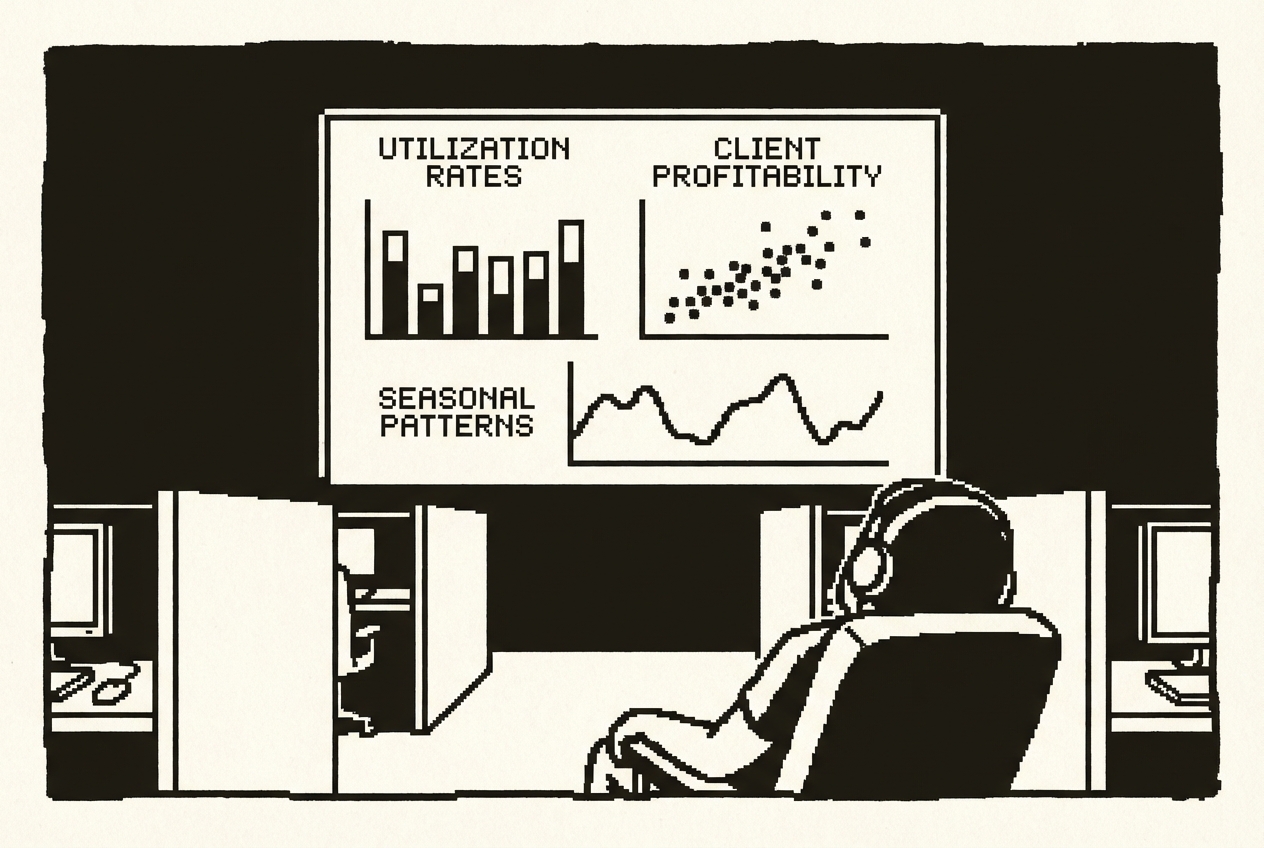
Here is what Toggl does not do: it does not show Alex the big picture the way Alex thinks about it. Utilization rate across all clients. Which clients consistently run over estimate. Which project types are profitable and which are time sinks disguised as revenue. Which months are heavy and which are light, and whether those patterns are predictable enough to plan around.
Toggl gives you hours. What Alex needs is insight. Which means exporting CSVs, opening a spreadsheet, building pivot tables, and squinting at numbers every month trying to derive the story behind the data. The tool tracks time fine. It just does not think about time the way a freelancer needs to think about it, because Toggl is built for teams, not solo operators.
There is also the integration problem. Toggl lives in its own world. The data does not flow naturally into invoicing or client reporting. Every month, Alex exports from Toggl, cross-references with project scopes, and manually reconciles before sending invoices. That reconciliation step takes two to three hours per month, and it is the kind of tedious work where mistakes hide. Last April, Alex accidentally billed a client for hours that belonged to a different project. The error was $340. The client caught it, and while they were gracious about it, the trust repair took longer than the correction.
Codex App is a desktop command center for parallel AI agents. You describe what you want built, and it dispatches agents to create it. For a custom time tracking dashboard, you are building something that reads your data and presents it the way your brain works, with the metrics that matter to a solo consultant rather than a team manager.
Export your time data to CSV. Place those CSVs in a project folder. Also create a clients.json file that maps each client to their rate, billing type (hourly, retainer, fixed-price), and any monthly hour caps or retainer limits.
Codex dispatches its agents. One handles the data processing, reading and normalizing your CSV format, matching entries against client configurations. Another builds the UI, a clean dashboard with charts, tables, and filters. Within minutes, you have a working local application that runs on your machine.
The client profitability ranking is the view that changed how Alex thinks about the business. One client, a steady monthly retainer that felt like reliable income, was actually the least profitable relationship. The retainer covered 20 hours per month. Alex consistently spent 28. That is 40% more hours than the retainer covered, effectively billing at $65/hour instead of the $110/hour rate card. The dashboard made this invisible subsidy visible. That conversation, backed by data exported from the dashboard, led to a renegotiated retainer that is $1,100 higher per month.
The invoice-ready export is the feature that eliminated the monthly reconciliation ritual. At month end, Alex opens the dashboard, clicks the export for the current month, and gets a clean breakdown per client with total billable hours, rate, and amount due. The two to three hours of monthly reconciliation work dropped to about ten minutes of spot-checking. The errors dropped to zero.
Toggl Professional (~$156/yr), Harvest (~$130/yr), or Clockify Premium (~$120/yr)
Full cancellation of time tracking tool
Invoicing should be the simplest part of freelancing. You did the work, here is the number, please pay it. Instead, it has become another subscription ecosystem.
Alex uses FreshBooks at the basic tier, $22/month. It generates invoices, tracks whether they have been paid, and sends automatic reminders when payment is overdue. These are genuinely useful features. But step back and look at what the tool actually does during the invoicing process: Alex opens FreshBooks, selects the client, adds line items manually (because the integration with Toggl never worked reliably), types in descriptions and amounts, reviews the total, and clicks send. That is ten minutes of data entry inside a tool that costs $264 a year.
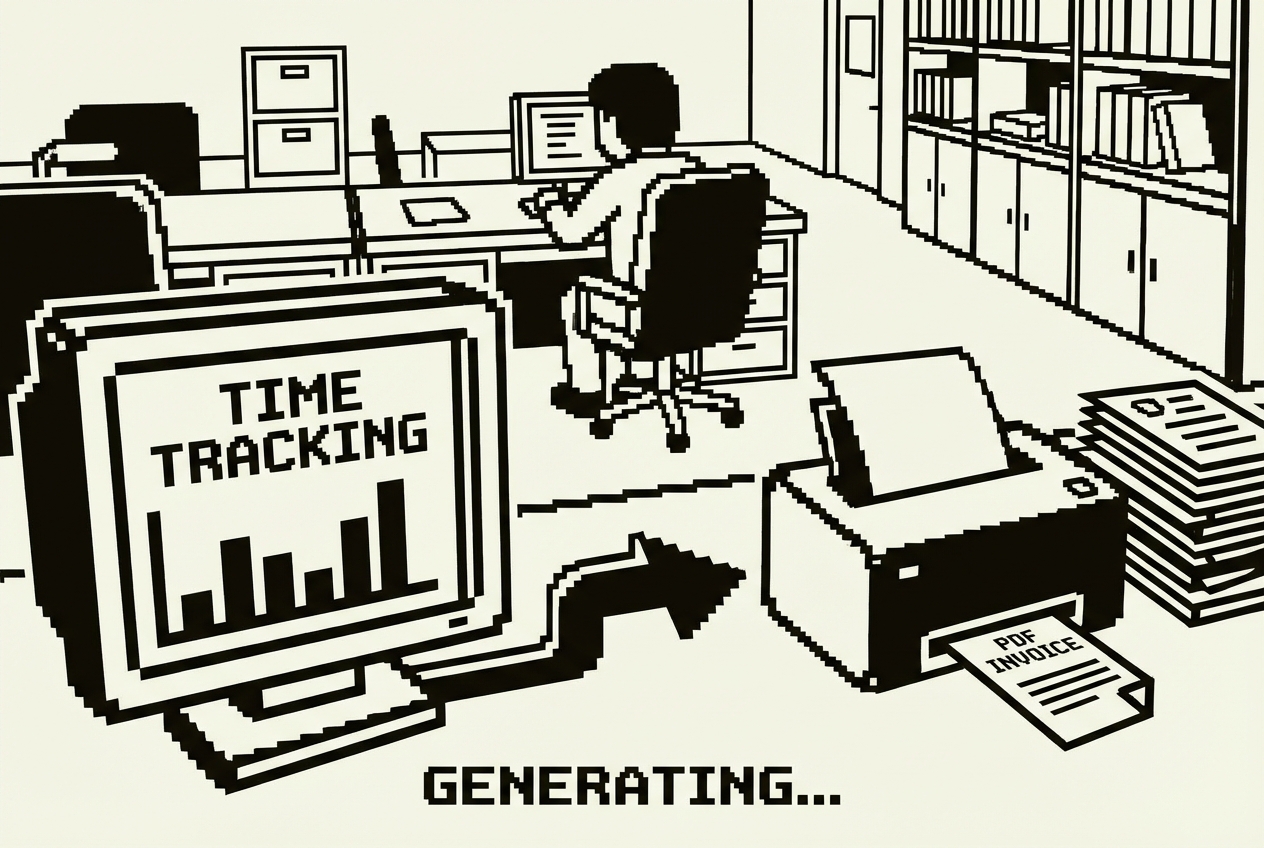
The value proposition of invoicing tools rests on three pillars: professional-looking invoices, payment tracking, and automated reminders. Professional-looking invoices look identically polished to every other FreshBooks invoice. Payment tracking is useful, but not $264/year useful. Automated reminders are arguably the best feature, but calendar reminders accomplish the same thing.
There is also the lock-in factor. Three years of invoicing history lives inside FreshBooks. The record-keeping, the tax-time exports, the client payment history. Moving away feels risky even when staying feels expensive. The data hostage situation is real and deliberate.
Claude Artifacts are interactive tools built inside a conversation. No account setup, no software installation, no learning curve beyond describing what you want.
What comes back is a fully functional invoice builder running in the conversation window. You fill in the details, the math happens automatically, and you print or save as PDF. The entire interaction is in your browser. There is no backend server, no monthly charge, no data being sent anywhere.
Alex customized this further over several conversations. The client dropdown now includes all eight regular clients with their full billing addresses, tax IDs, and preferred payment methods. The line item descriptions include standard service categories (Consulting, Implementation, Emergency Support, Travel) that auto-fill the rate based on the rate card.
The workflow now: open the Artifact (saved as a bookmark), select the client from the dropdown, add line items. If you are billing for tracked time, copy the numbers from the time tracking dashboard export. Review the total. Print to PDF. Save the PDF to the invoices folder organized by year and client. Email the PDF. Five minutes, start to finish.
Because the time tracking dashboard (Use Case 2) produces an invoice-ready export, and the invoice generator reads those numbers, the two tools form a pipeline. The entire month-end billing cycle for all eight clients takes about 40 minutes. Previously, with Toggl and FreshBooks as separate systems requiring manual reconciliation, the same process took an entire morning.
FreshBooks basic (~$264/yr), Wave premium invoicing (~$180/yr), or Zoho Invoice (~$120/yr)
Full cancellation of invoicing platform
The question every freelancer dreads: "Hey Alex, what's the status on our project?"
It is not that there is no answer. There is always an answer. But the answer lives in Alex's head, partially in a project management tool, partially in email threads, and partially in a folder of deliverables on the local machine. Pulling together a coherent status update for one client takes 15-20 minutes. Not because the information is complex, but because it is scattered. Doing it for all eight? That is a half-day exercise, every time someone asks.
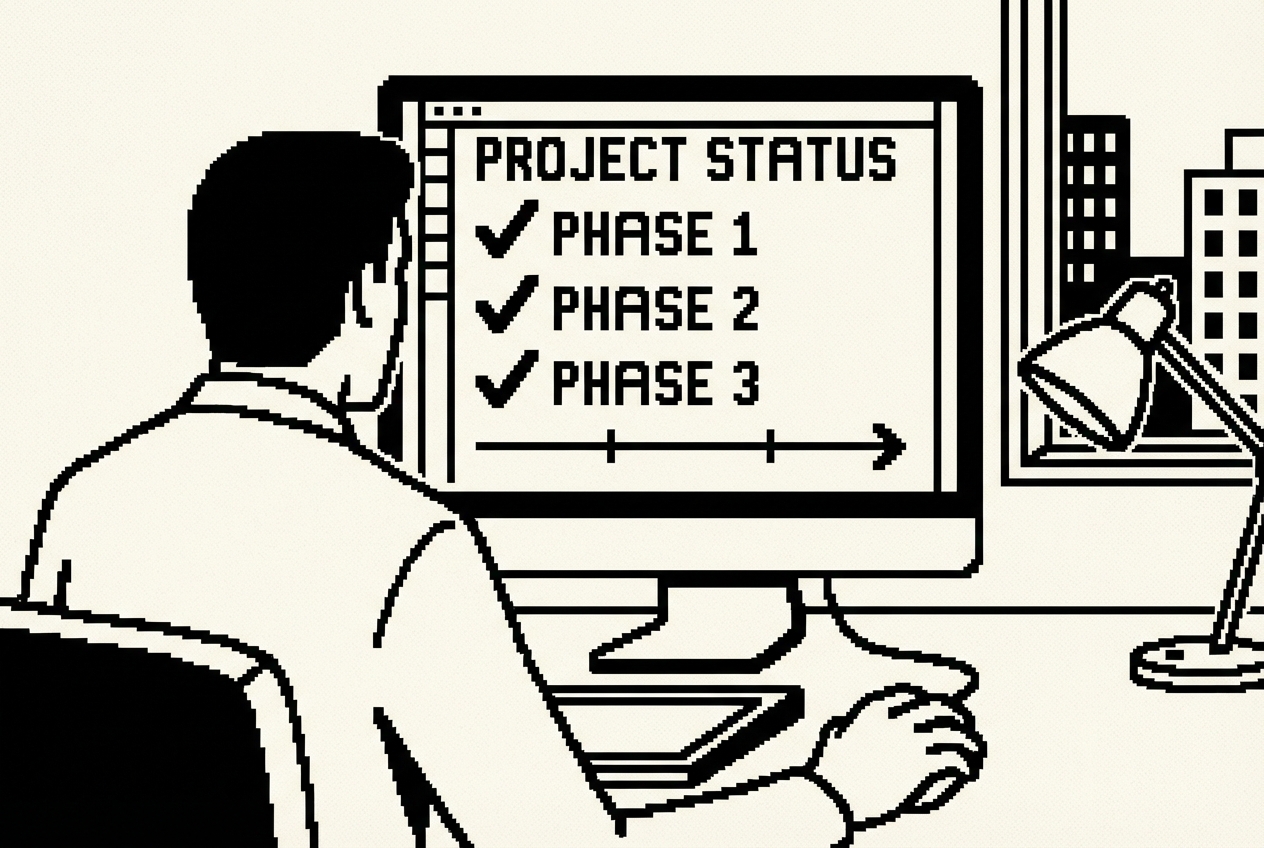
Some freelancers solve this with client portal tools. Accelo, Teamwork, Plutio, Monday.com. They range from $50 to $150 per month and give each client a login where they can see project status, timelines, and deliverables. Alex tried Accelo for a year at roughly $150/month. The portal looked professional. Clients appreciated having a place to check status. But the overhead of keeping it updated sometimes exceeded the time saved by having it.
The fundamental disconnect: portal tools are designed for teams. They assume multiple people need to coordinate project status, with handoffs, assignments, and visibility across roles. For a solo consultant, the coordination is between Alex and the client. There is no team to coordinate. The entire purpose of the portal is to prevent the client from emailing a question that Alex could answer in thirty seconds, if only the client knew the answer was available somewhere.
Build a lightweight client portal that reads from simple files, so the "update the portal" step is as frictionless as editing a text file.
Each client has a file. When Alex finishes a deliverable, the update is opening a text file and changing false to true. Five seconds of work. Adding a note is appending a line. This is the level of friction that a solo operator can sustain indefinitely.
Push to GitHub. Railway redeploys automatically and the portal updates within about two minutes. Share the URL with each client along with their access code.
The result: clients check their own status whenever they want. Alex updates a text file when things change. The "what's the status?" emails dropped by roughly 80% in the first month. The remaining 20% are legitimate questions about deliverable content or scope, which is exactly what those emails should be about.
The portal also doubles as a project record. Every JSON file is version-controlled in Git. Want to know when a deliverable was marked complete? Check the commit history. This accidental audit trail has been useful twice already, once during a scope dispute and once when a client's internal team wanted a timeline for their own reporting.
Accelo freelancer (~$1,800/yr), Teamwork client portal (~$1,200/yr), or Plutio (~$900/yr)
Full cancellation of client portal tool, minus ~$60/yr Railway hosting = $1,740/yr net
If you have been freelancing for more than a year, you have had this conversation with yourself: "Am I charging enough?" The answer is almost always no, and the reason you do not fix it is because you do not have a clear model for what "enough" means.
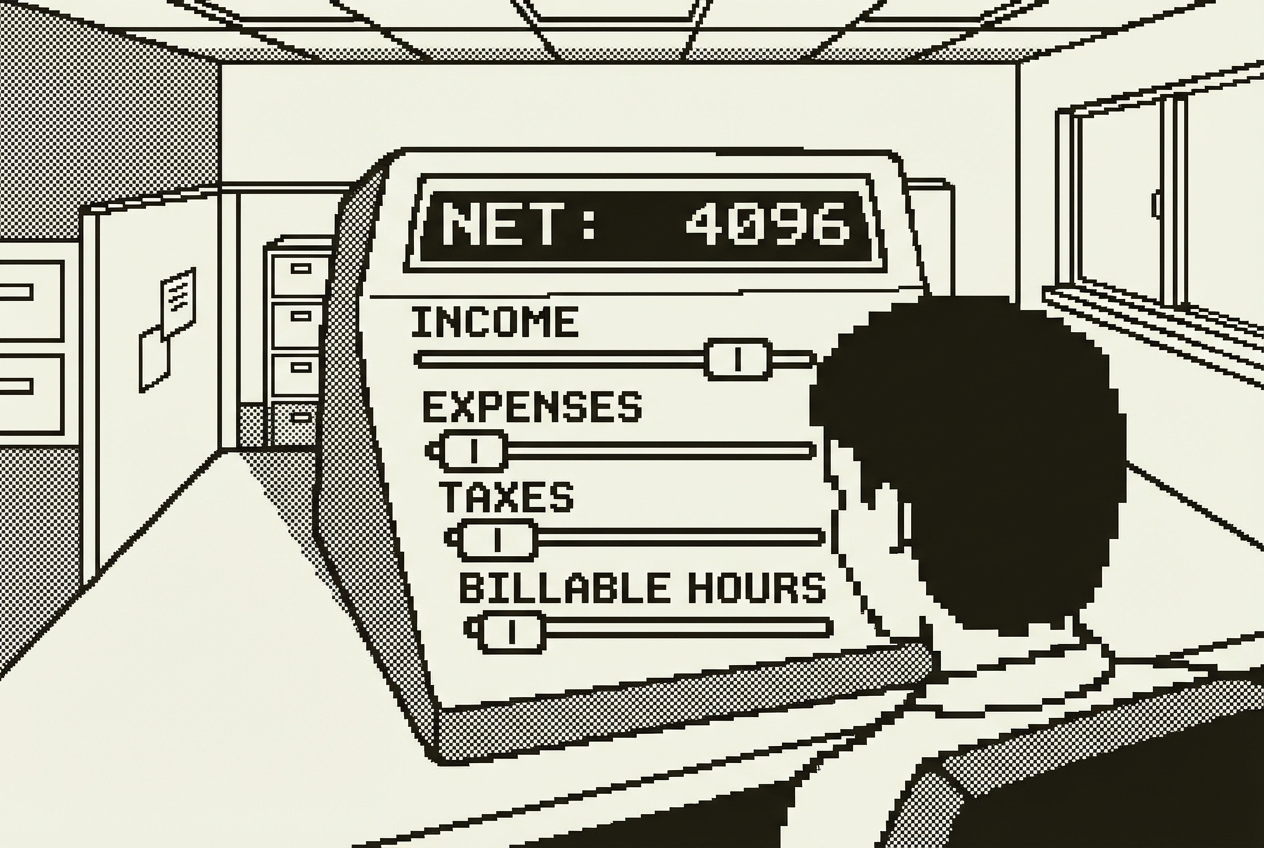
Rate-setting for freelance IT consultants is a strange blend of market research, self-assessment, and gut feeling. You look at what other consultants charge (which you rarely know precisely). You think about what clients have accepted in the past (which reflects their budget, not your value). You consider what feels comfortable to say out loud in a proposal meeting (which is a psychological barrier, not a financial one). And you settle on a number that is almost certainly too low.
There are tools for this. Bonsai has a rate calculator built into their freelancer platform. Various websites offer "freelancer rate calculators" that ask your desired income, divide by hours, and show a number. Alex tried Bonsai's paid tier for a year, partly for the rate guidance and partly for the contract templates. It cost $29/month. The rate calculator was used twice.
The real challenge with pricing is that it depends on variables that generic tools cannot account for. Your specific expenses. Your target take-home pay, not gross revenue. The realistic number of billable hours per year, not the theoretical maximum (2,080 hours if you work 52 weeks), the realistic one after accounting for admin, sales, vacation, sick days, professional development, and the inevitable slow weeks between projects. For Alex, that realistic number is around 1,400 hours, which is 67% of total working hours.
This is a perfect Artifacts use case. You need an interactive calculator tailored to your exact situation.
Alex plugged in the real numbers. Target take-home: $120,000. Business expenses: $14,400 annually. Estimated effective tax rate: 30%. Target billable hours: 1,400 per year. The calculator showed a required hourly rate of $137. Alex had been charging $110 for the past two years.
The calculator did the math: at $110/hour and 1,400 billable hours, after expenses and taxes, the actual take-home was approximately $94,000. Not bad. But $26,000 less than the target. That gap is not visible when you are inside the day-to-day of running the business. It only becomes visible when you model the full picture.
Alex adjusted the rate to $135 for new proposals. Within three months, three new projects accepted the higher rate without pushback. One existing client renegotiated upward during a contract renewal. The income impact: roughly $35,000 additional annual revenue from the rate increase alone. The calculator did not earn that money. The information the calculator provided gave Alex the confidence to ask for it.
Here is the part that connects to this chapter specifically: as Alex cancels SaaS subscriptions throughout the year, the expense line in the calculator decreases. Lower expenses mean a lower required rate for the same take-home. Which means Alex can either take the same rate and earn more, or reduce rates to be more competitive while maintaining income.
Bonsai Professional (~$348/yr), freelance rate tools and premium benchmarking access
Full cancellation of pricing platform
Alex landed a new client last September. Good project, good rate, exciting technology stack. The kickoff was chaos.
Day one: Alex sent a welcome email with general information about how the engagement would work. Forgot to include the standard communication guidelines document. The client replied to Alex's personal Gmail instead of the project email address, setting a pattern that took three weeks to correct.
Day two: Started technical work. Hit a wall immediately. No credentials for the client's staging environment. Sent a request. The client's IT person was on vacation. Waiting.
Day five: All access in hand. Actual technical work began, four days behind an already-tight schedule.
None of this is catastrophic. All of it is preventable. And all of it happens when you rely on memory instead of a system for starting new engagements. Alex has been freelancing for six years and has onboarded roughly 30 clients. The process should be automatic by now. It is not, because every client is slightly different, and the memory of what went wrong with the last onboarding fades by the time the next one starts.
Freelancers who solve this subscribe to tools like Dubsado ($40/month) or HoneyBook ($40/month), which offer client onboarding workflows with automated email sequences, intake forms, and task management. These are powerful tools built for service businesses. They are also dramatically overbuilt for a solo IT consultant who needs three things: a consistent checklist, a customized welcome packet, and a kickoff agenda.
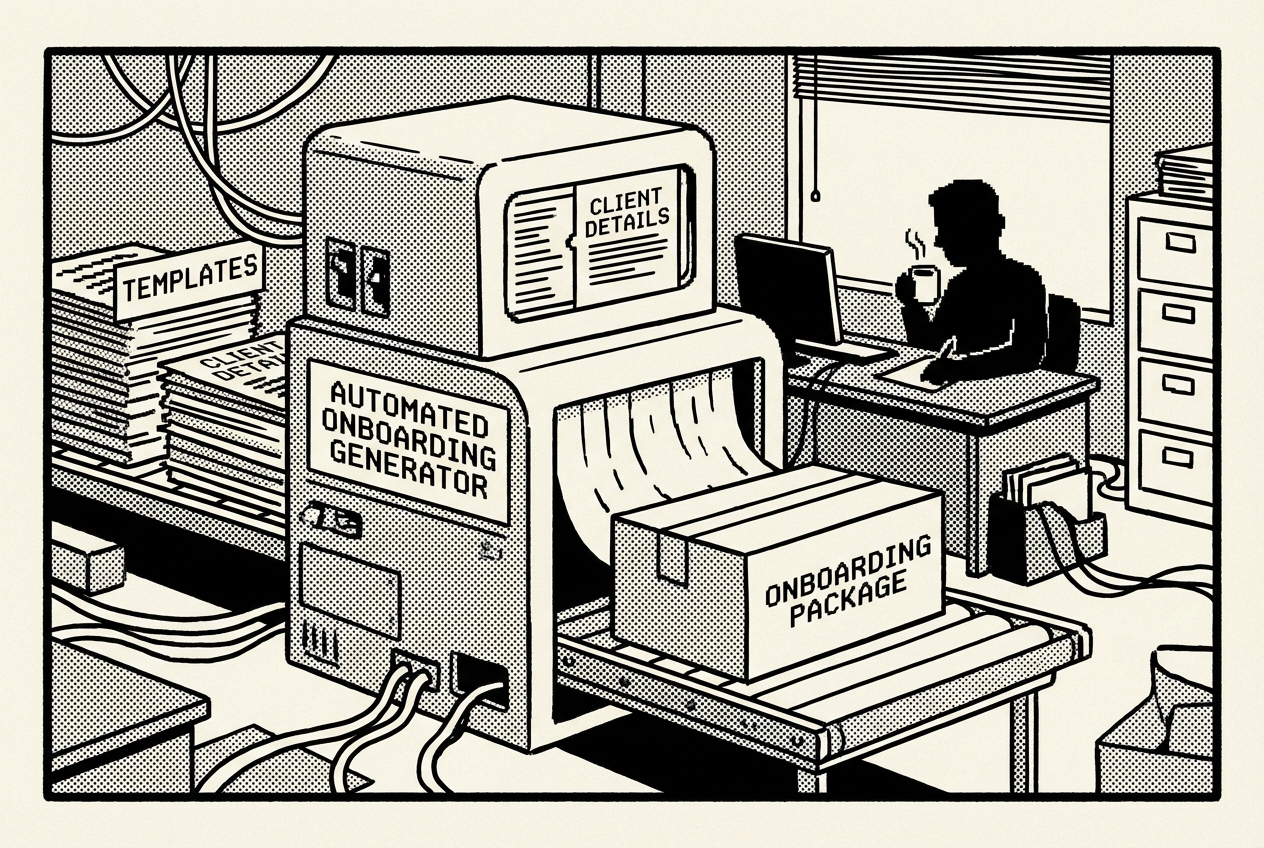
Client onboarding is fundamentally a document generation problem. Every new client needs the same core documents, customized for their specific project. This is exactly what Cowork is built for.
In about three minutes, Cowork generates a complete package. Five documents, all customized, all cross-referenced, all ready to send. The intake questionnaire is the clever part: it pre-fills answers you already have (so the client does not have to re-type their own company name and address) and boldly marks the gaps you need them to fill.
Alex sends this package within an hour of signing a new client. The response has been consistently positive. Several clients have commented that Alex is the most organized consultant they have worked with. One client forwarded the welcome packet to their internal team as an example of how vendors should communicate. The truth is not organization. It is automation that looks like organization.
Since implementing this, Alex has onboarded four new clients without missing a single step. Each engagement started on time, with all access in place, and with clear communication expectations established from the first email.
Dubsado (~$480/yr), HoneyBook (~$480/yr), or similar client management tools
Full cancellation of onboarding automation platform
IT audits are one of Alex's highest-value services. A mid-size company pays a premium, typically $5,000-8,000 per engagement, for Alex to examine their infrastructure, identify risks, and deliver a detailed report with prioritized recommendations. The technical work is satisfying. Finding the misconfigured firewall rule, the unencrypted database backup, the service account with admin privileges that nobody remembers creating. This is the work Alex is good at and enjoys.
The problem is what comes after the technical work: the report.

The actual scanning, configuration review, security testing, backup verification, and disaster recovery assessment takes about two days per client. The report writing takes another two to three days. That is more time writing about what Alex found than actually finding it.
Writing thirty to fifty pages of structured findings, risk assessments, and recommendations is grueling. The content is often similar across clients. Everyone has the same cloud misconfigurations. Everyone lacks MFA somewhere. Everyone's backup strategy has a gap. But the context is different enough that copy-paste from previous reports only gets you about 40% of the way there.
The template subscriptions are the most useful approach. They provide pre-written sections for common findings, standardized risk rating matrices, and professional formatting. But they speed things up by maybe 30%, turning a three-day writing task into a two-day writing task. The ratio of writing time to technical time is still wrong.
Claude Code is a terminal-based AI coding agent. It reads your files, understands context, and generates structured output. For audit reports, you are using it as an intelligent documentation engine that transforms raw technical notes into client-ready professional reports.
During the audit, take notes in a structured but informal format:
In each file, note what you found using your own shorthand. For example, security.md might contain: "S3 buckets, three of them, public read. One contains customer data exports. MFA disabled on 4 of 12 admin accounts, including the root AWS account. SSL cert on api.client.com expires in 11 days, nobody watching it."
Claude Code reads every file, understands the client context and compliance requirements, and generates a comprehensive report. The raw note about public S3 buckets becomes a full finding with a Critical risk rating, a description explaining the data exposure implications, a business impact section noting regulatory and reputational consequences, and step-by-step remediation instructions.
The first time Alex used this workflow, the report generation took about 45 minutes of review and editing instead of two and a half days of writing. The output needed refinement. Some findings needed more context. A few risk ratings needed adjustment. But the structure, language, and completeness were already at 85%.
Alex now completes audit reports in half a day instead of two to three days. Those recovered days become billable days on other client work. At Alex's rate, recovering two working days per audit translates to roughly $1,760 in billable capacity. Over six audits per year, that is over $10,000 in recovered time.
One critical note: you must review and edit the generated report thoroughly. The AI provides the structure, the professional language, and the consistent formatting. The professional judgment, the contextual risk ratings, the nuanced recommendations, those still require human expertise. Treat the generated report as a strong first draft, not a finished product.
Audit report templates and documentation tools (~$100/mo for template subscriptions, formatting tools)
Full cancellation of audit template subscriptions and documentation platforms
Every freelancer needs a website. Not a great one, necessarily, but a professional one. A place where potential clients can see your work, read a few sentences about your approach, and find a way to contact you.
Alex has been on Squarespace for four years. It costs $16/month for the personal plan, which is $192/year for a site that gets updated roughly twice per year, when Alex remembers to add a new project to the portfolio. The site looks fine. It is a template with Alex's content dropped in. Clean, professional, forgettable. So is every other freelancer's site built on the same template.
The more honest issue: Alex does not update the site because the process is friction-heavy. Log into Squarespace. Navigate the visual editor. Click through to the portfolio section. Fill in the fields. Upload an image. Preview the layout. Check on mobile. Adjust spacing. For a site that is essentially a digital business card, this is forty minutes of work that produces minimal return. The result is a portfolio that is always six to twelve months out of date.
When prospective clients visit the site, they see projects from a year ago. They draw conclusions. "This consultant has not done notable work recently." That conclusion is wrong, but the evidence supports it. Alex has completed eight projects in the past six months. Zero of them appear on the website.
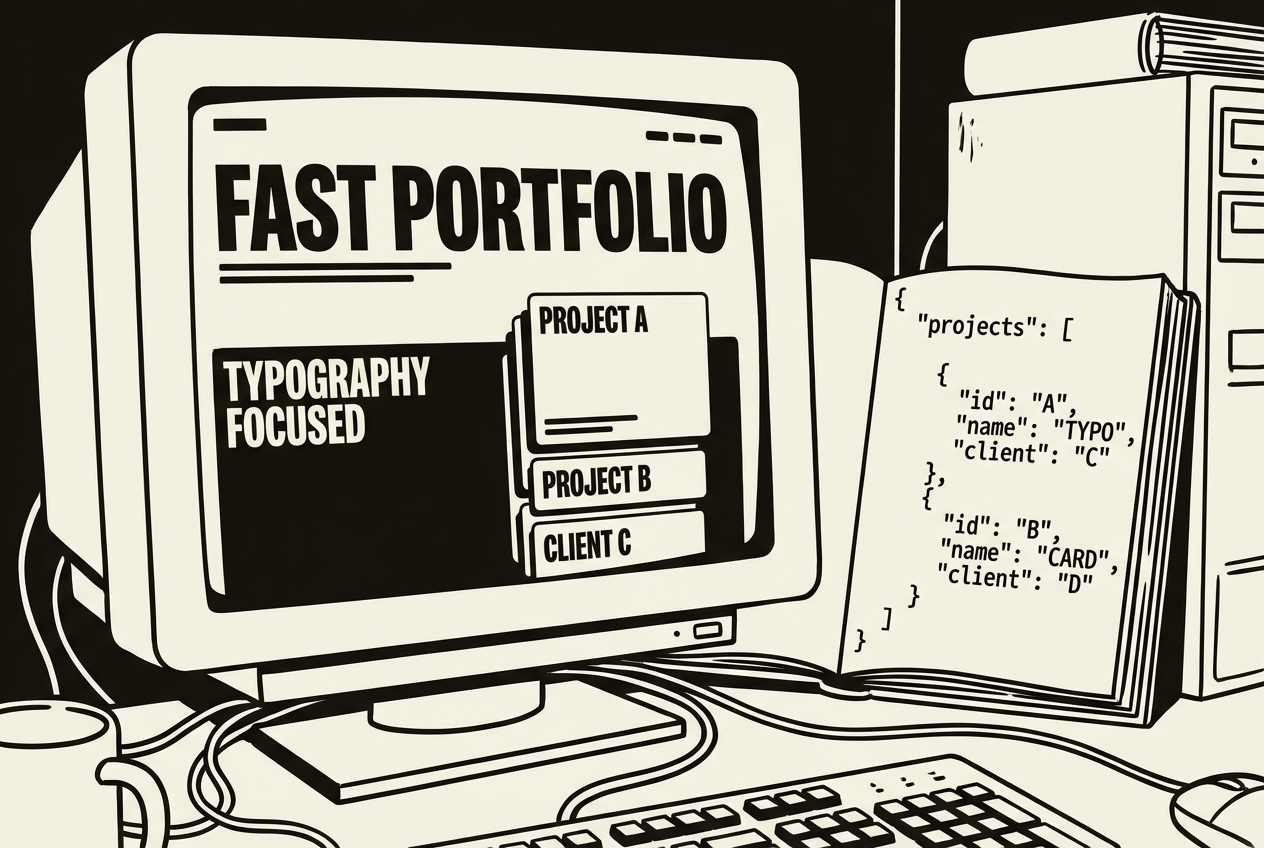
Google AI Studio is a free browser-based platform that builds apps from descriptions. For a portfolio site, you describe what you want and it builds a fully functional, responsive website.
AI Studio generates the complete site. Use Annotation mode for visual refinements: "Make the title larger." "Add a subtle shadow to the portfolio cards." These adjustments happen in seconds.
The portfolio data comes from a simple JSON file. When Alex finishes a project worth showcasing, the update is opening a text file, copying an existing entry, changing the project name, industry, description, and tech stack, and saving. No logging into anything. Just text editing, the activity that IT consultants do all day anyway.
Deploy the site to Railway. The update workflow: edit the JSON file, commit and push to GitHub, Railway automatically redeploys. Total time per portfolio update: three to four minutes. Alex has added five projects in the two months since switching, compared to zero updates in the previous eight months on Squarespace.
The site also loads faster than the Squarespace version. The Squarespace site had a PageSpeed score of 62 on mobile. The AI Studio-built site scores 94. For a technical consultant, a fast site is a subtle credibility signal that a slow one undermines.
Squarespace Personal (~$192/yr), WordPress managed hosting (~$300-600/yr), or Carrd Pro (~$49/yr)
Full cancellation of website platform, minus ~$60/yr Railway hosting = $660/yr net
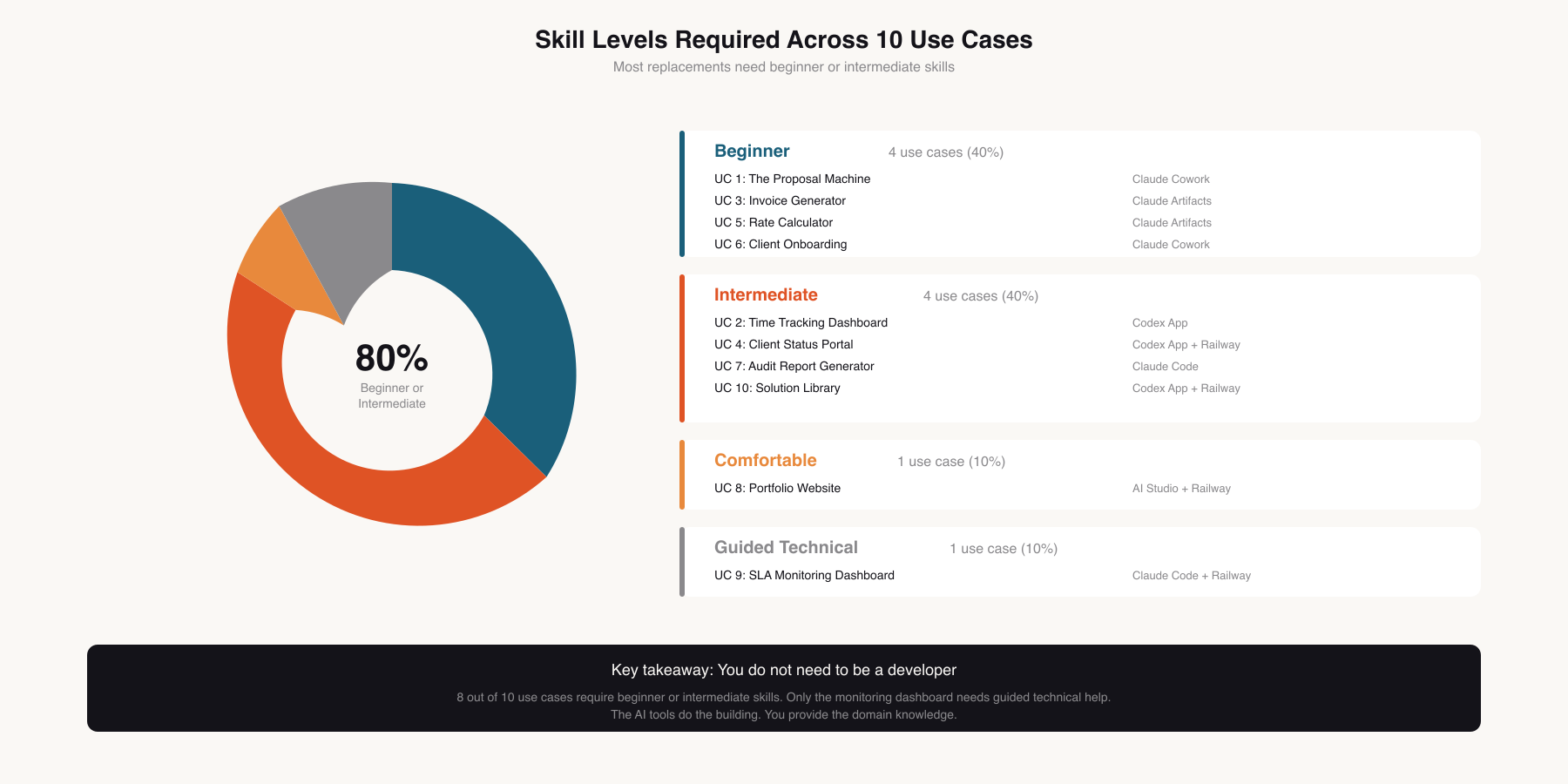
Six of Alex's eight clients have some form of SLA. A service level agreement that commits to uptime percentages, response times, and resolution windows. The specifics vary. One client requires 99.9% uptime on their customer-facing API (that is 8.7 hours of allowed downtime per year). Another requires a four-hour response time for critical incidents. A third requires monthly uptime reports as a contractual deliverable.
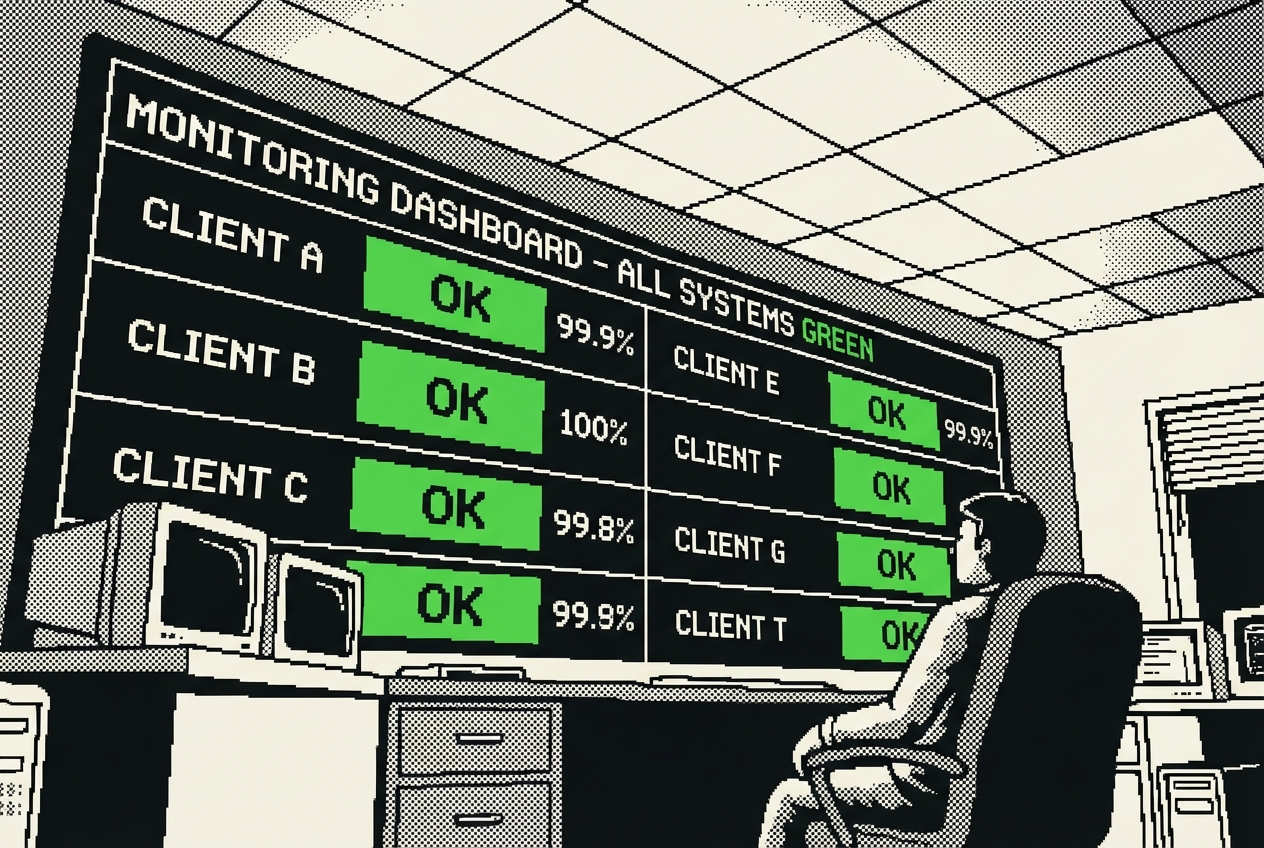
Alex uses Uptime Robot on the premium plan. The pricing model is per monitor: $7/month per endpoint. With roughly 20 endpoints across six clients, that is $140/month, or $1,680/year. Add Better Uptime at $29/month for the status page feature, and the monitoring stack costs over $2,000 annually.
These tools work well. The alerting is reliable. The dashboard is comprehensive. The features are enterprise-grade. And that is the problem. Enterprise-grade features at enterprise-grade pricing for a freelancer-grade need.
Most of what Alex monitors is straightforward: is the website returning a 200 status code? Is the API health endpoint responding? Is the SSL certificate more than 30 days from expiration? The advanced features, multi-location testing from eight global data centers, synthetic transaction monitoring, detailed waterfall charts, are nice to have but not essential.
This is the most technical build in this chapter, and it is flagged as Guided Technical for a reason. You are building a monitoring service that runs continuously, checks endpoints, sends alerts, and generates reports. Claude Code does the heavy lifting of writing the application.
Adding a new client means adding a block to this file. Removing an endpoint means deleting a line. This is the kind of configuration file that an IT consultant is not just comfortable with but prefers.
Deploy it to Railway. The dashboard lives at a URL you can check from anywhere, and that you can share with clients who want real-time visibility into their system health.
The monthly SLA report is where this tool provides value that the paid alternatives charge extra for. At the end of each month, the system generates a clean report per client showing uptime percentage, incidents, downtime minutes, response time, and a month-over-month comparison chart. Alex sends these proactively along with invoices. Clients see a consultant who not only monitors their systems but documents the performance with precision.
Two weeks after deployment, a client's API went down at 1:15 AM due to a failed database migration. The monitoring caught it at 1:20 AM. Alex had the issue diagnosed within twenty minutes and the API restored by 1:52 AM. The client's internal team did not discover the issue until 8 AM. The client's CTO called it "the fastest incident response we've ever seen." It was not speed. It was monitoring.
Monthly cost on Railway: about $5-8. For Alex's 20 endpoints at five-minute intervals, the Railway bill is $7/month. Annual cost: $84.
Uptime Robot Premium (~$1,680/yr), Better Uptime (~$348/yr), or similar monitoring stacks
Full cancellation of monitoring tools, minus ~$84/yr Railway hosting = $2,316/yr net
There is a phenomenon unique to freelance IT consulting: solving the same problem for the fourth time and not being able to find how you solved it the first three times.

Alex encounters this regularly. A WordPress site throwing a white screen of death. A Docker container that will not start after an OS update. A Kubernetes ingress configuration that looks right but routes to nowhere. Each of these has been solved before, sometimes multiple times for different clients. The solution lives somewhere. In a Slack message to a client's IT team. In an email. In a Notion page organized under a project name Alex no longer remembers. Or in a terminal history that has long since scrolled away.
The searching is the problem. Alex can usually remember that a problem was solved before. The memory is a vague shape: "I fixed this, it was for that client with the blue logo, it involved a config file, I think it was in January." This memory is useless without a retrieval system that can work with vague recollections.
Notion has been Alex's attempt at a personal knowledge base for three years. $10/month for the premium plan, $120/year. It holds scattered notes, half-organized databases, and a wiki structure that seemed logical when it was created but no longer matches how Alex thinks about the work. The search is decent but the content is messy. Finding a specific solution requires remembering which project it came from, which section it might be in, and what keywords to search for.
The compounding cost of not documenting is invisible until it is enormous. Alex estimated, conservatively, that re-solving previously solved problems wastes about 15-20 hours per year. At $110/hour, the opportunity cost is $1,650-$2,200 per year in lost billable time. The $120 Notion subscription is not the real cost of inadequate knowledge management. The real cost is ten times higher.
Think of this as a personal search engine for your technical knowledge. You dump solutions in, and you pull answers out. The interface is optimized for retrieval, not for writing.
Codex builds the application with a clean search interface and a quick-add form. The search is the star feature. It is not simple keyword matching. Type "docker container won't start after ubuntu upgrade" and it finds the entry titled "Docker CE fails to start after Ubuntu 22.04 kernel update" even though the exact phrasing does not match.
The quick-add form is deliberately minimal. Title, category (dropdown), tags (comma-separated), problem (text area), solution (text area), commands (code block). Alex tested the workflow: from "I just solved this" to "it is in the knowledge base" takes 90 seconds. That is the threshold below which documentation feels effortless rather than burdensome.
Alex spent a Saturday afternoon migrating about 60 solutions from Notion, bookmarks, and memory. Within the first week, Alex found a solution in under 30 seconds that would have taken 15 minutes of Notion archaeology. By the end of the third month, the knowledge base had 140 entries and had been accessed during client work over 200 times.
Deploy it to Railway so it is accessible from any device, any location. When Alex is on-site with a client, troubleshooting a server issue at 11 PM, the knowledge base is available on a phone.
One unexpected benefit: the knowledge base has become a competitive advantage in client conversations. When a client describes a problem, Alex searches the knowledge base in real time and says, "I have seen this before. Last time it was caused by X, and the fix took about two hours." The client hears confidence backed by experience. What they are actually hearing is good tooling.
Notion Premium (~$120/yr), Obsidian Sync (~$96/yr), Slite (~$96/yr), or similar personal wiki tools
Full cancellation of knowledge management tool, minus ~$60/yr Railway hosting = $420/yr net
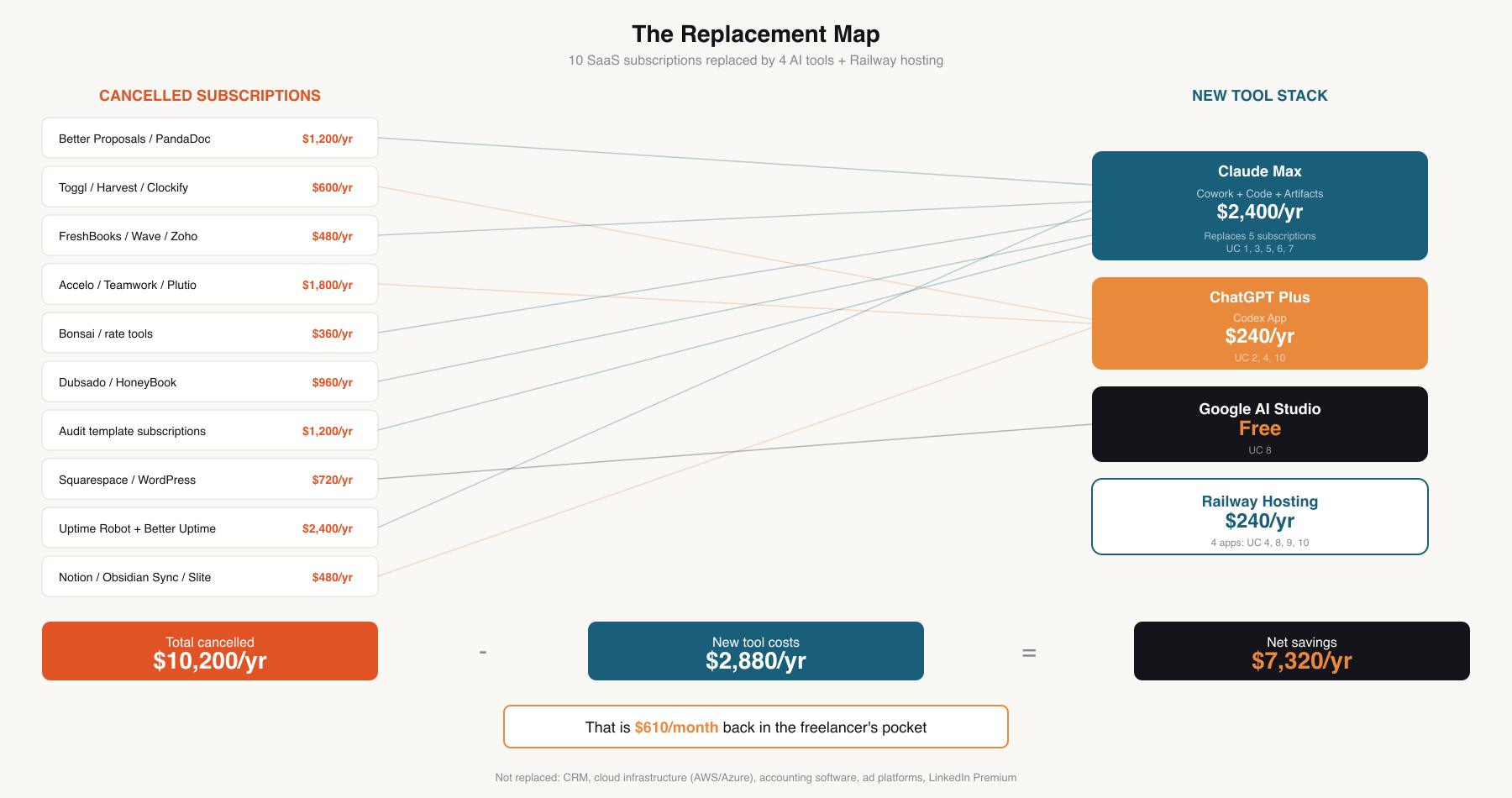
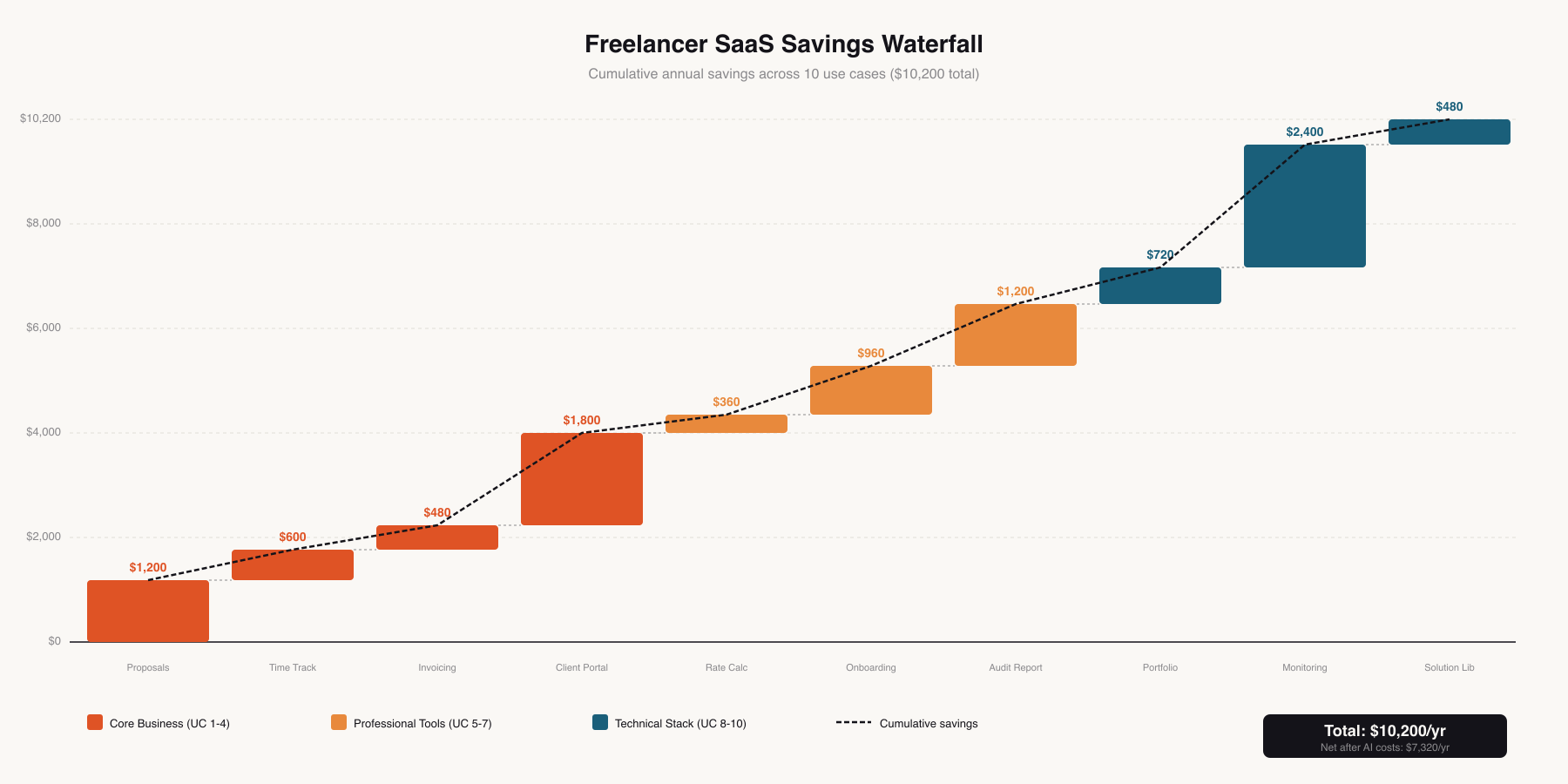
This is the chapter where the math is personal. Every number below comes out of Alex's pocket and goes back into Alex's life. There is no department to absorb the cost and no corporate discount to soften the price. This is one person's credit card statement, before and after.
| Use Case | Tool Replaced | Annual Cost |
|---|---|---|
| 1. The Proposal Machine | Better Proposals, PandaDoc | $1,200 |
| 2. Time Tracking Dashboard | Toggl, Harvest, Clockify | $600 |
| 3. Invoice Generator | FreshBooks, Wave, Zoho | $480 |
| 4. Client Status Portal | Accelo, Teamwork, Plutio | $1,800 |
| 5. Rate Calculator | Bonsai, pricing tools | $360 |
| 6. Client Onboarding | Dubsado, HoneyBook | $960 |
| 7. Audit Report Generator | Audit templates, doc tools | $1,200 |
| 8. Portfolio Website | Squarespace, WordPress | $720 |
| 9. SLA Monitoring Dashboard | Uptime Robot, Better Uptime | $2,400 |
| 10. Solution Library | Notion, Obsidian Sync, Slite | $480 |
| Total SaaS Cancelled | $10,200/yr | |
The AI tools used to replace the stack above:
| Tool | Monthly Cost | Used For | Annual |
|---|---|---|---|
| Claude Max (Cowork + Code + Artifacts) | $200/mo | Proposals, onboarding, invoices, audits, rate calc | $2,400 |
| ChatGPT Plus (Codex App) | $20/mo | Time tracking, client portal, knowledge base | $240 |
| Google AI Studio | Free | Portfolio website | $0 |
| Railway (hosting 4 apps) | ~$20/mo | Portal, portfolio, monitoring, knowledge base | ~$240 |
| Total AI Tool Cost | $2,880/yr | ||
Seven thousand three hundred and twenty dollars. Back in your pocket. Every year.
For a freelancer billing $110/hour, this is equivalent to 66 hours of paid work that you no longer need to perform to maintain the same take-home income. Or, put differently:
$610 per month of additional take-home pay.
Effective rate increase of $5.23/hour (at 1,400 billable hours/year) without changing what you charge clients.
A fully funded emergency reserve (three months of essential expenses) built in about nine months.
A new laptop every year with money left over for a monitor upgrade.
Two extra weeks of unpaid vacation you can now afford to take without the financial stress.
These tools are not replaced by anything in this chapter:
CRM: Managing client relationships across a pipeline requires the kind of networked, multi-device, notification-rich environment that a CRM provides. Building one from scratch would be foolish.
Cloud infrastructure providers (AWS, Azure): These are not point solutions. They are platforms. Not candidates for replacement.
Accounting software: Tax compliance is not the place to get creative. The accounting tool stays.
Ad platforms and professional networks: LinkedIn Premium, industry directories, and similar tools where the value is in the network effect.
It covers three of the six tools (Cowork, Code, and Artifacts), and it replaces subscriptions that collectively cost far more. But $200/month for a solo freelancer is a real decision. If you are only replacing one or two tools from the Claude ecosystem, the math may not work. It works for Alex because the coverage is broad and the tools replace five separate subscriptions.
SaaS tools handle updates, backups, and uptime for you. The self-built alternatives require occasional maintenance. Railway-hosted applications need a GitHub push to update. If Railway has an outage, your monitoring dashboard and client portal go down until it resolves. This is not zero-effort. It is significantly less effort and significantly less cost, but it is not zero.
The proposal generator saves 45-60 hours per year. The audit report builder saves 10-15 days per year. These are enormous. But the rate calculator saves almost no time because you only use it a few times a year. The invoice generator saves maybe an hour per month. The value of some tools is measured in dollars saved, not hours saved.
When FreshBooks updated their invoice template, you did nothing. When your monitoring tool needs a feature change, you open Claude Code and describe what you want. This is faster than waiting for a SaaS company to implement your feature request. But it requires a different mindset: you are the product manager of your own tool stack. Alex estimates spending about 2-3 hours per month on maintenance across all self-built tools.
Codex App and Claude Code can both build applications. Artifacts and AI Studio can both create interactive tools. The choice of which tool to use for which problem is a judgment call based on complexity, hosting needs, and personal comfort level. You will develop preferences.
Alex made a list in January, after the first full quarter of running the new tool stack. Not what was saved. What was done with the savings.
First, the emergency fund. Freelancing without three months of expenses in reserve is not just risky, it is stressful in a way that affects the quality of your work and the confidence of your negotiations. You underprice when you are afraid. The savings funded half of a proper emergency reserve in the first year.
Second, professional development. A cloud architecture certification ($350) and an industry conference ($1,200 including travel). Both had been on the "next year" list for three consecutive years. The certification has already led to two new project inquiries.
Third, a better chair. This sounds trivial. It is not. Freelancers spend eight to ten hours a day in their chair. The $400 ergonomic upgrade is the kind of quality-of-life improvement that makes the work physically sustainable over decades, not just years.
Fourth, a buffer for slow months. Freelance income is lumpy. The SaaS savings contribute $610/month to that buffer, which turns a potential crisis month into a merely quiet one.
Fifth, a sabbatical fund. Alex set aside $200/month from the savings toward a reserve that would allow taking a full month off without financial stress. Six years of freelancing without a break longer than ten days takes a toll.
The point is not what Alex bought. The point is that the money became available for decisions that improve the business and the person running it, instead of disappearing into recurring charges for tools used at 30% capacity.
Here is what surprised Alex the most. It was not the money, although $7,320/year is a meaningful number for a solo business. It was the relationship with the tools.
When you use SaaS products, you are a customer. You use the features they built, in the way they designed them, on the timeline they update them. When a feature you rely on gets deprecated, you adapt or migrate. When the price increases (and it always increases, because SaaS companies answer to investors who expect revenue growth, and your subscription is the growth they are counting on), you absorb it or start the painful migration process.
When you build your own tools, even simple ones, even with AI doing 90% of the construction work, you are the owner. The invoice generator shows exactly what you want it to show. The monitoring dashboard alerts on the thresholds that matter for your specific SLA contracts. The knowledge base organizes information the way your brain retrieves it, not the way a startup's UX team designed it.
There is a word for this that the SaaS industry does not like to hear: independence. Not from technology, that would be absurd and counterproductive. Independence from rent-seeking software that solves simple problems at premium prices because the alternative used to be "hire a developer" or "learn to code." The alternative is no longer either of those things. The alternative is six tools, a few hours of your time, and the realization that the problems you have been paying monthly fees to solve are not actually that complicated.
Alex still uses some SaaS. The CRM stays. The cloud infrastructure providers stay. The accounting software stays. These are tools where the value is in the network effect, the integration ecosystem, the regulatory compliance, or the infrastructure scale.
But the point solutions? The single-purpose tool that tracks your time, sends your invoices, monitors your uptime, hosts your portfolio, stores your proposals? Those are the subscriptions that freelancers should audit first, this month, before the next billing cycle. Because every dollar you stop paying for software you barely use is a dollar that goes where you choose. Into savings, into growth, into equipment, into the life that freelancing was supposed to enable in the first place.
The tools you build interconnect in ways that SaaS products never do. The time tracking dashboard feeds the invoice generator. The proposal generator references the rate calculator's pricing. The client portal echoes the onboarding checklist's milestones. The audit report generator pulls from the knowledge base's accumulated findings. These are not formal integrations with API keys and webhooks. They are just tools that read the same files, work in the same folders, and follow the same conventions. The simplicity is the integration.
In the SaaS world, integrations are a feature that vendors charge for. In the self-built world, integration is free because everything operates on files and folders. The interoperability is not engineered. It is inherent.
The transition does not have to be dramatic. Start with the most expensive subscription. Build a replacement. Run them in parallel for a week. Cancel the old one when you are confident. Move to the next. Six weeks later, the stack is new, the credit card statement is lighter, and the money that used to leave your account automatically now stays until you decide what to do with it.
That is the freelancer math. It is not a corporate budget exercise reviewed in a quarterly business meeting. It is personal. It is your credit card, your bank account, your take-home pay.
And it adds up to $7,320 a year of choosing where your money goes instead of watching it leave.